
Zeltro › Vibe coding for beginners, on your own computer
Vibe coding for beginners
Started vibe coding in Lovable, Bolt or Replit and hit the credit or setup wall? What vibe coding is, the three ways to do it, what each costs, and how to keep vibe coding on your own computer without knowing how to code.
Andrej Karpathy named it in February 2025:
There's a new kind of coding I call "vibe coding", where you fully give in to the vibes, embrace exponentials, and forget that the code even exists.
Andrej Karpathy, on X, 2 February 2025
You say what you want, the AI writes it, you look at the result and say what to change. If you are reading this, you have probably tried it already, in Lovable, Bolt, Replit, v0 or Base44, and it worked. Then something stopped you. This page is about what comes next.
The three ways to vibe code#
Browser builders
Lovable, Bolt, Replit, v0, Base44. A chat beside a live preview.
- You payCredits or tokens
- You need to knowNothing
- The app livesIn their cloud
An agent on your computer
Claude Code, Codex, Antigravity, Qwen Code, Aider. A chat that changes the files in a folder.
- You payA flat plan, a key, or nothing
- You need to knowAlmost nothing, once set up
- The app livesOn your computer
An AI code editor
Cursor, Windsurf, VS Code with Copilot. A code editor with a chat panel.
- You payThe editor's plan
- You need to knowYour way around code
- The app livesOn your computer
Most people start in the first column, and they are right to. Nothing to install, a live preview, and one click to publish. The second column is where you go when the first one starts to pinch. The third is for when you want to read and edit the code yourself.
The two walls#
The credit wall
Browser builders charge by the message, and mistakes are billed too. Bolt's own docs warn against clicking "Attempt fix" over and over because "each attempt uses tokens," and Base44's credits are "non-refundable for… AI mistakes."
Vibe coding is mostly trial and error, so a project that cost a few dollars on its first weekend can cost a lot more in its second week.
The setup wall
So you move to an agent on your own computer, where a flat plan replaces the credits. Then the agent needs a working environment: the right Node or Python or PHP, a database, a .env file, a free port.
The builders did all of that without saying so. On your own machine, the AI does it the long way, on your usage limits, and asks you questions you cannot answer yet.
Zeltro is built to take the second wall away, so you get the price of the second column with the ease of the first. The builder prices, with sources, are in the cost comparison.
Vibe coding on your own computer with Zeltro#
Zeltro is a free development platform for your own computer. You do not need to know what any of this means to use it, but here is what it does: every project gets its own space with the right language installed, every project shares one set of databases, and each project gets an address you open in your browser. The installer sets up Docker, the part underneath, by itself.
Install Zeltro
From the install section. On a Mac it is one command in Terminal; on Linux, a download.
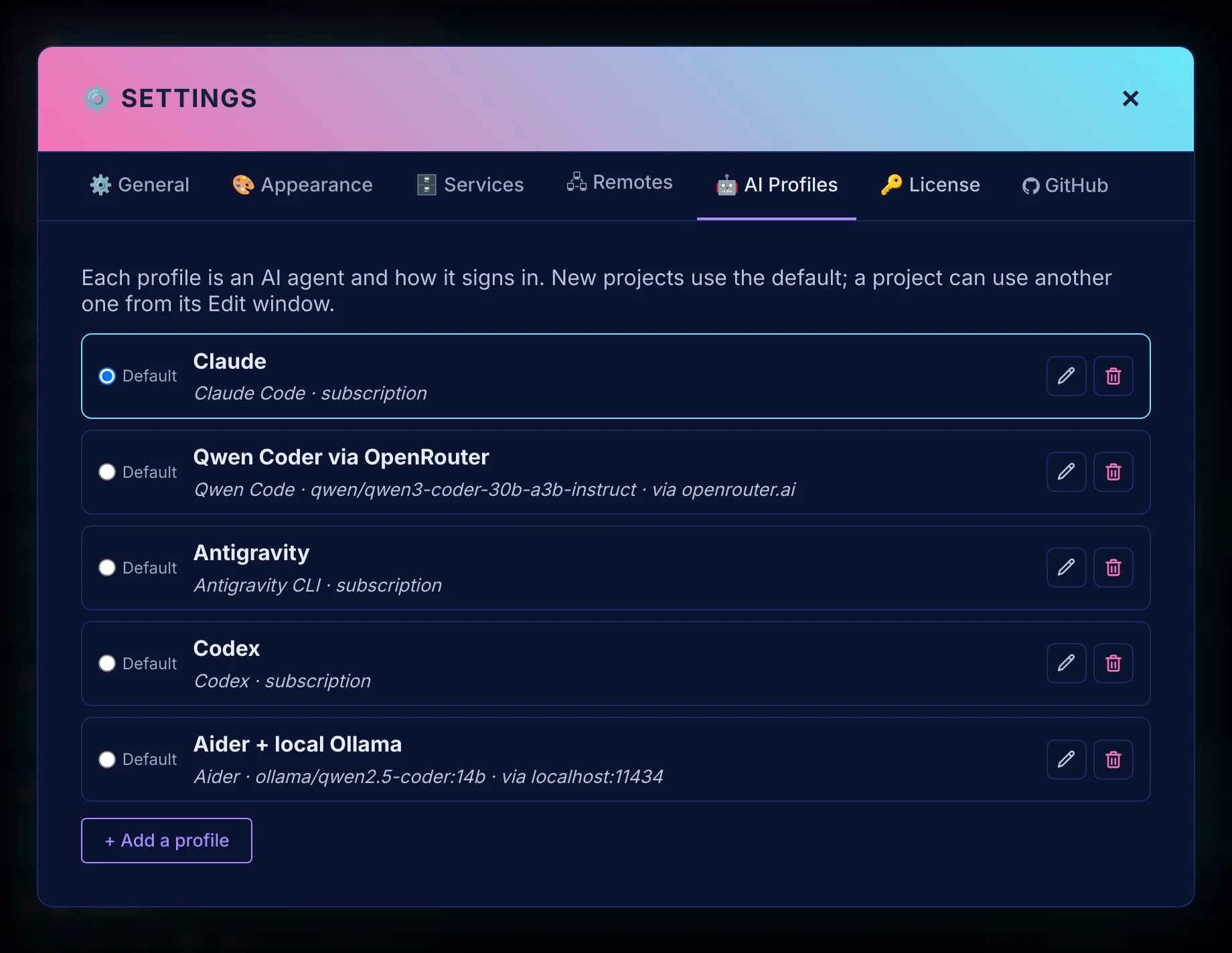
Connect your AI
In the app's settings: Claude Code with a Claude plan, Codex with a ChatGPT account, or one of the others with an API key or a free local model. See bring your own key.
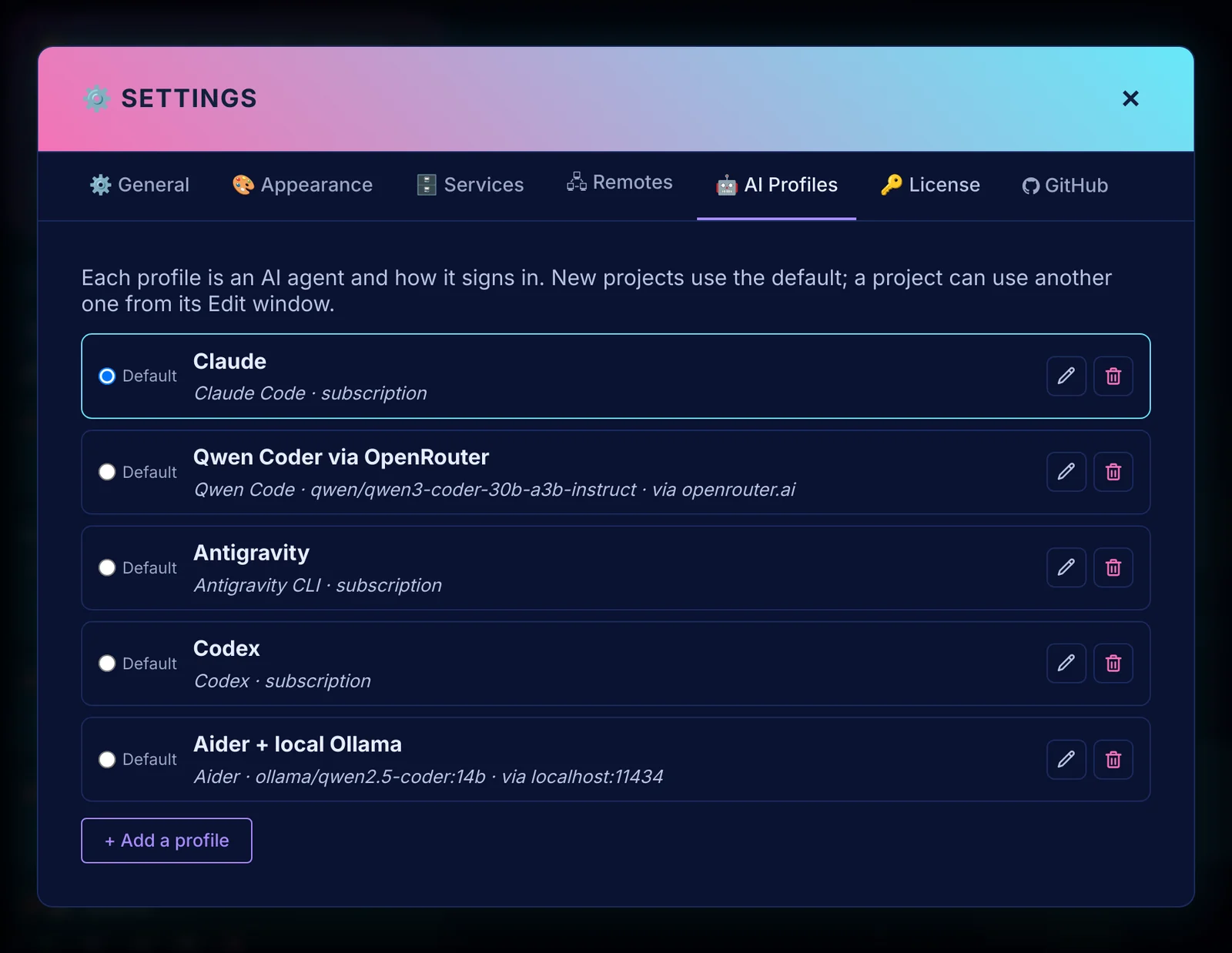
One profile per AI: a plan, an API key, or a free local model. Describe the app
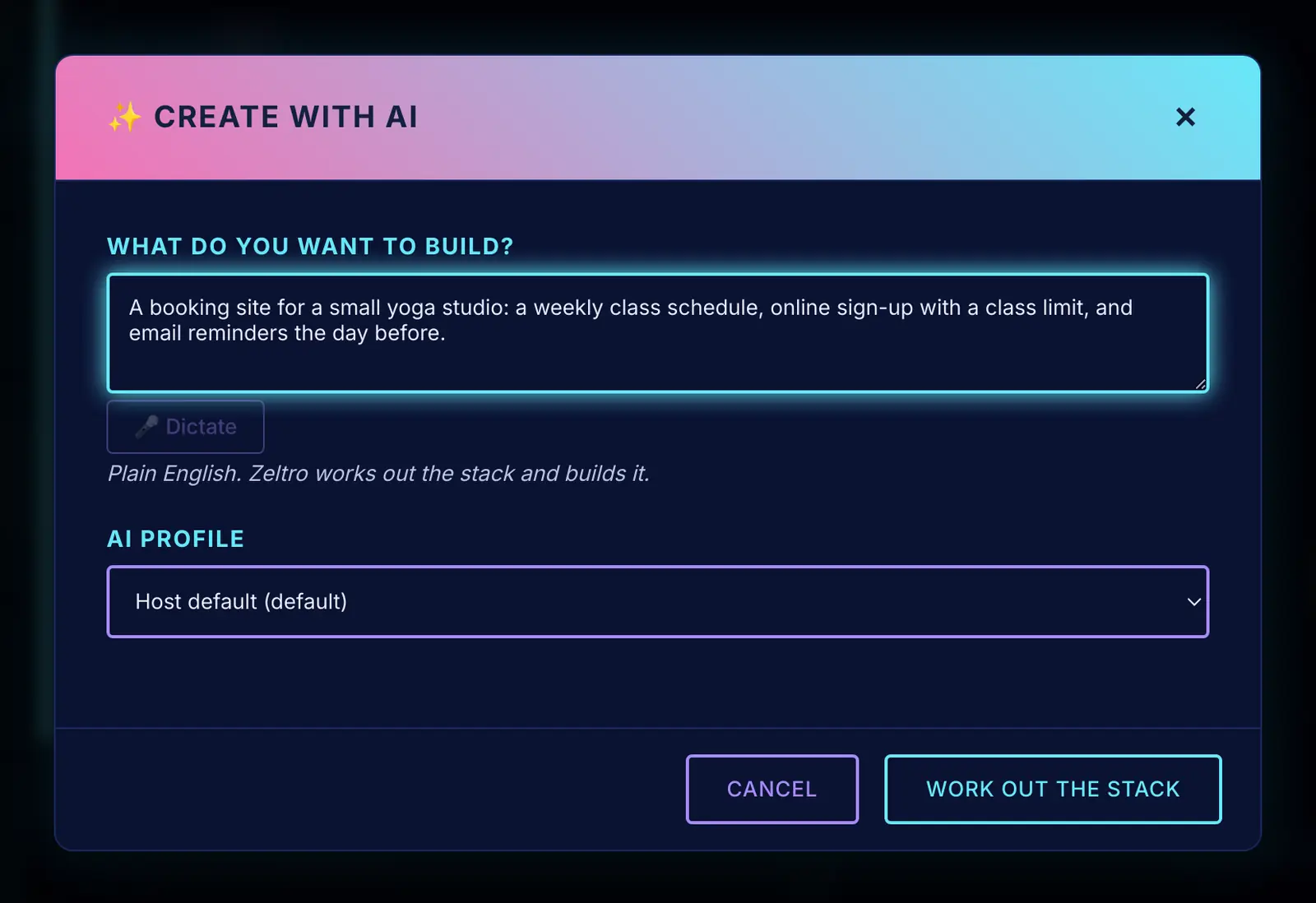
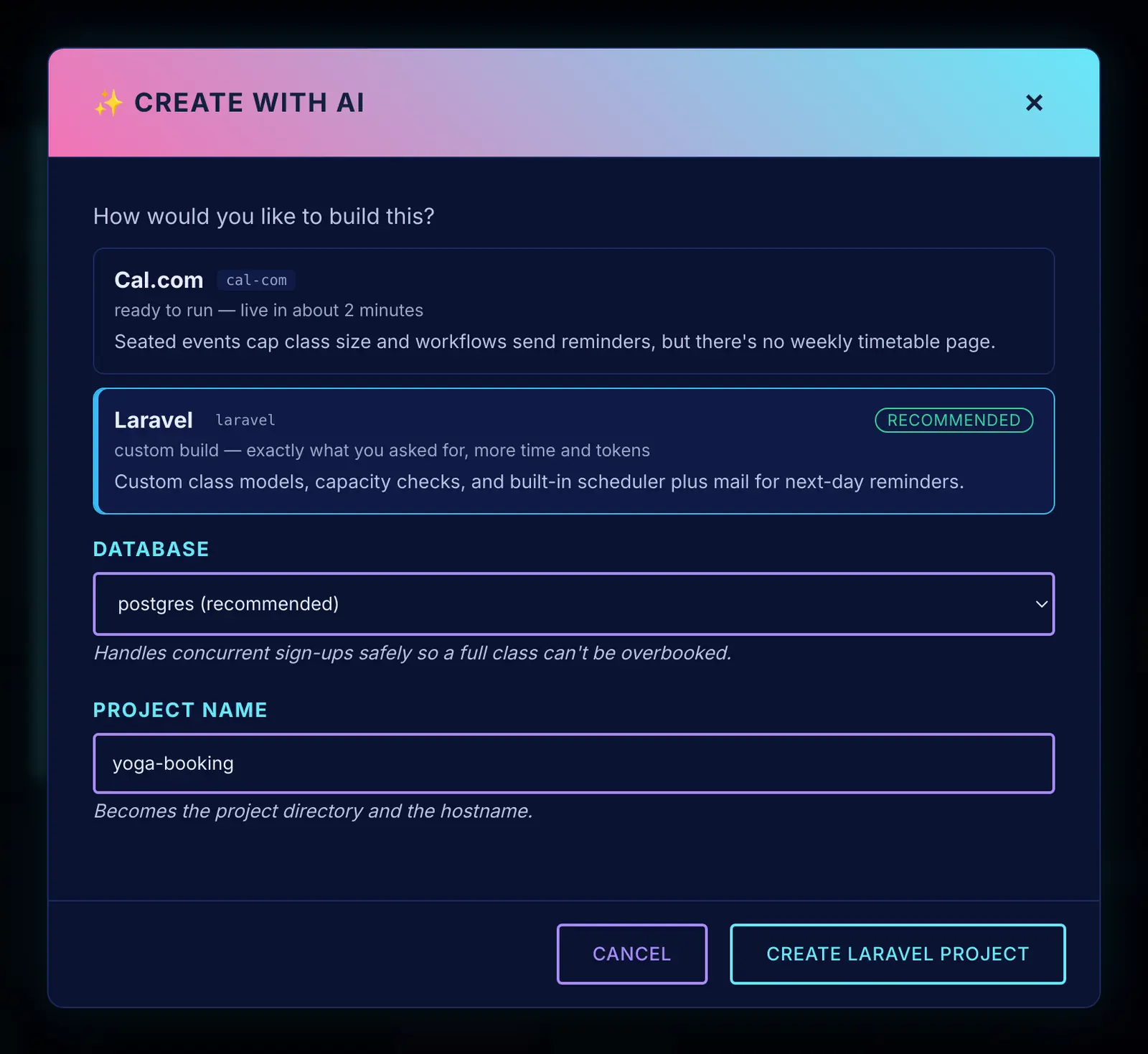
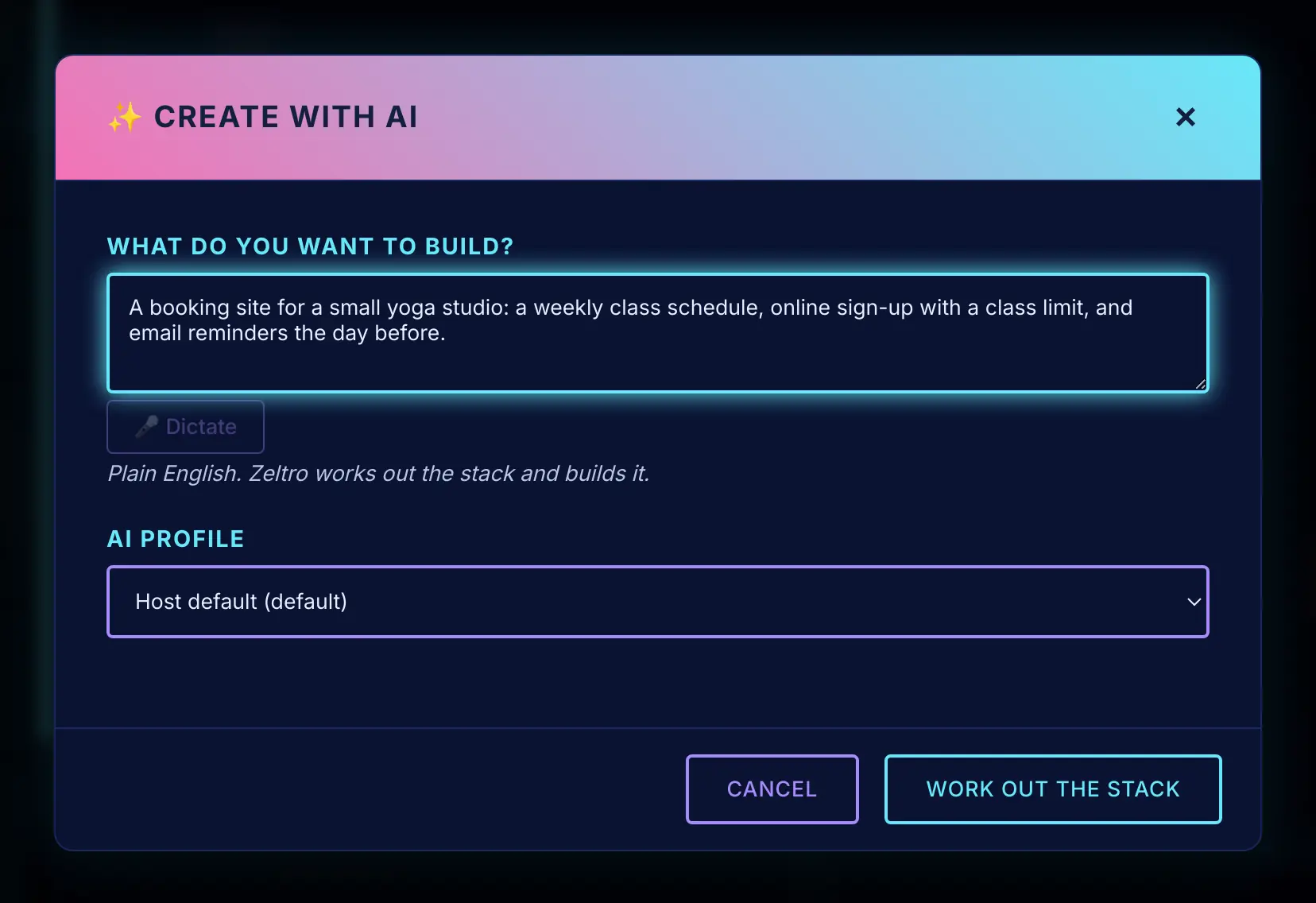
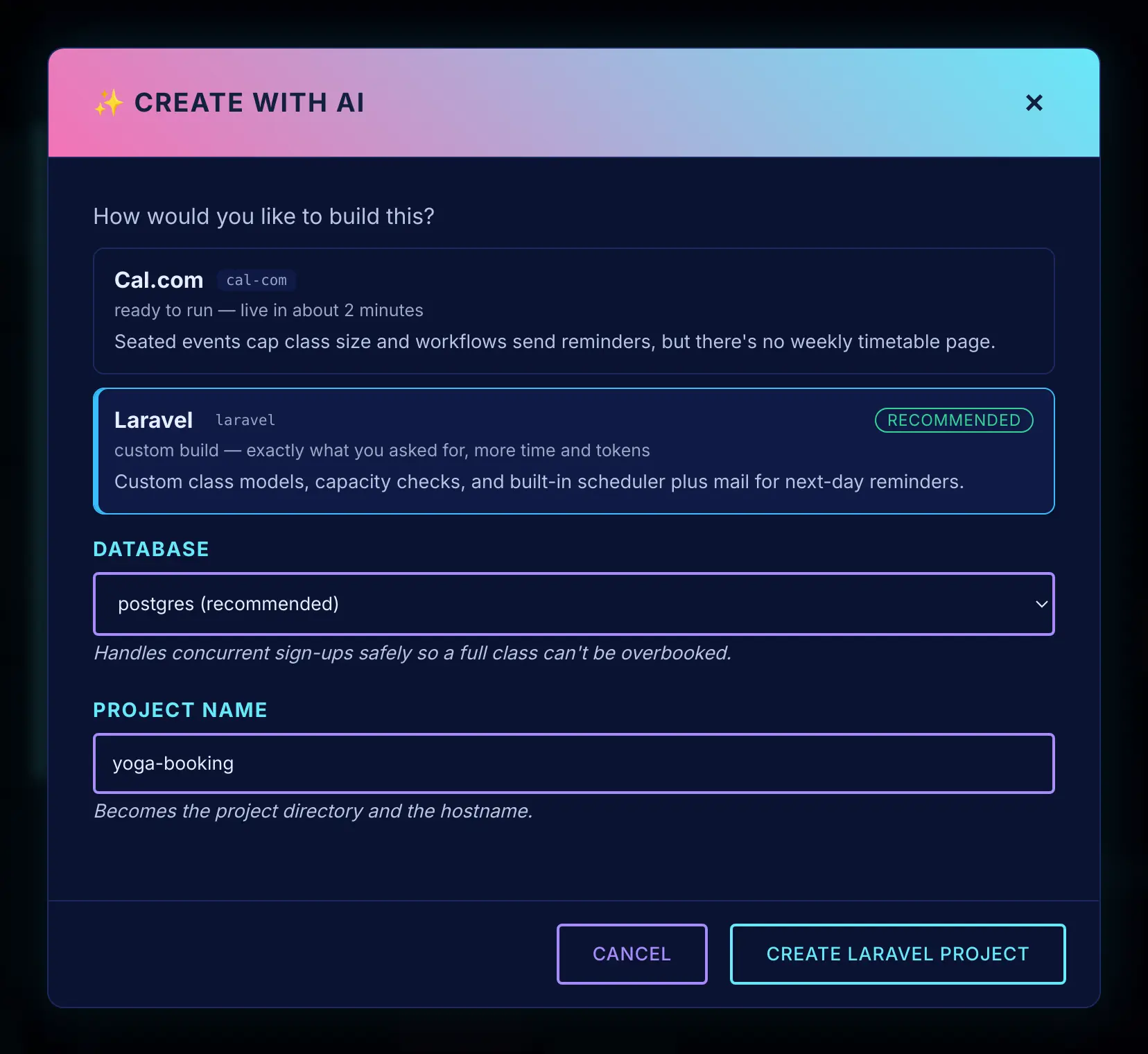
Click Create with AI and write what you want, the way you would in Lovable. Zeltro suggests how to build it, each option with a one-line reason, and sets up the project, its database and its address.
Vibe
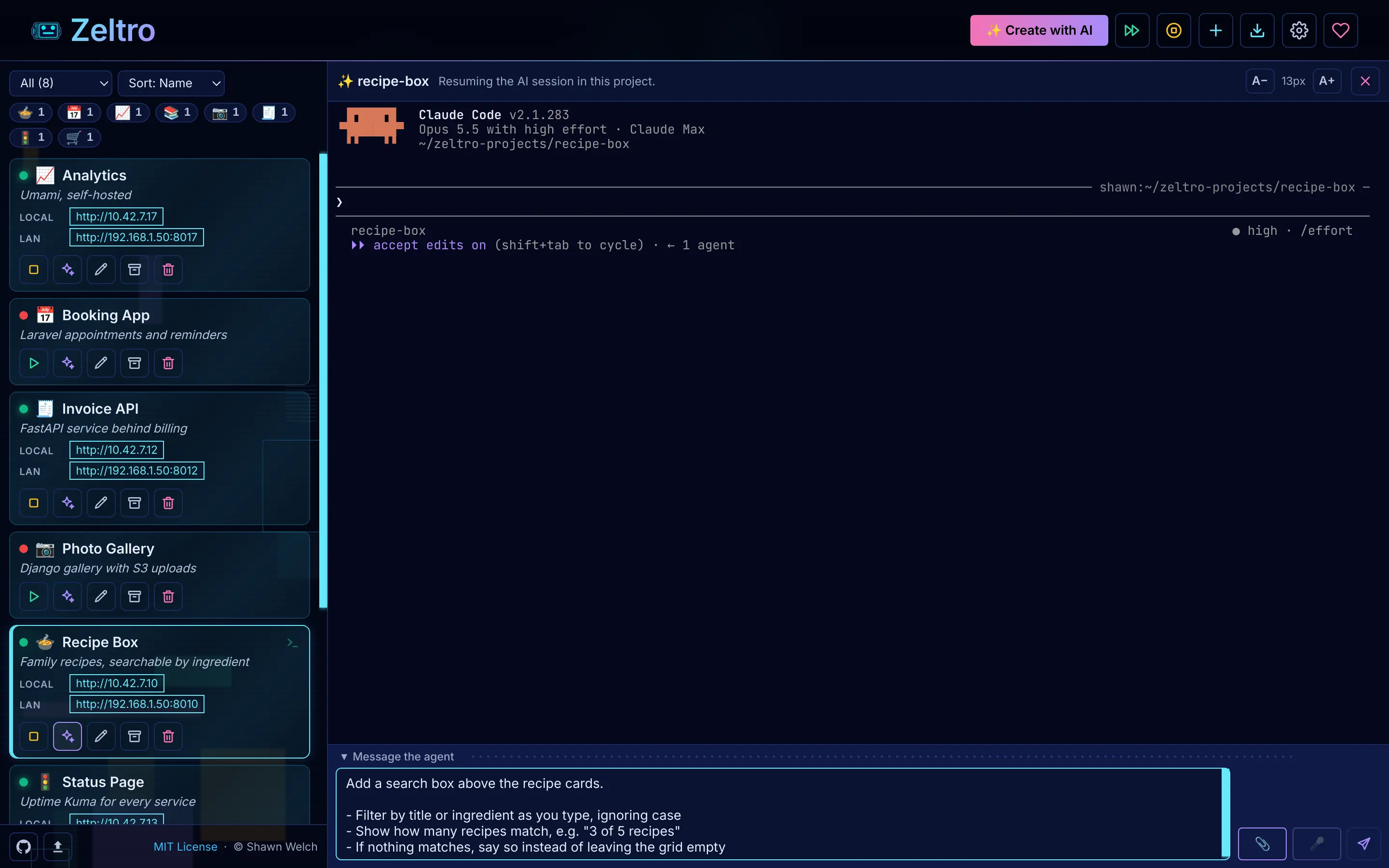
Type in the message box, look at the result, ask for changes. Each project has an
AGENTS.mdtelling the AI where the app runs and which database it uses, so it does not start every conversation by asking you.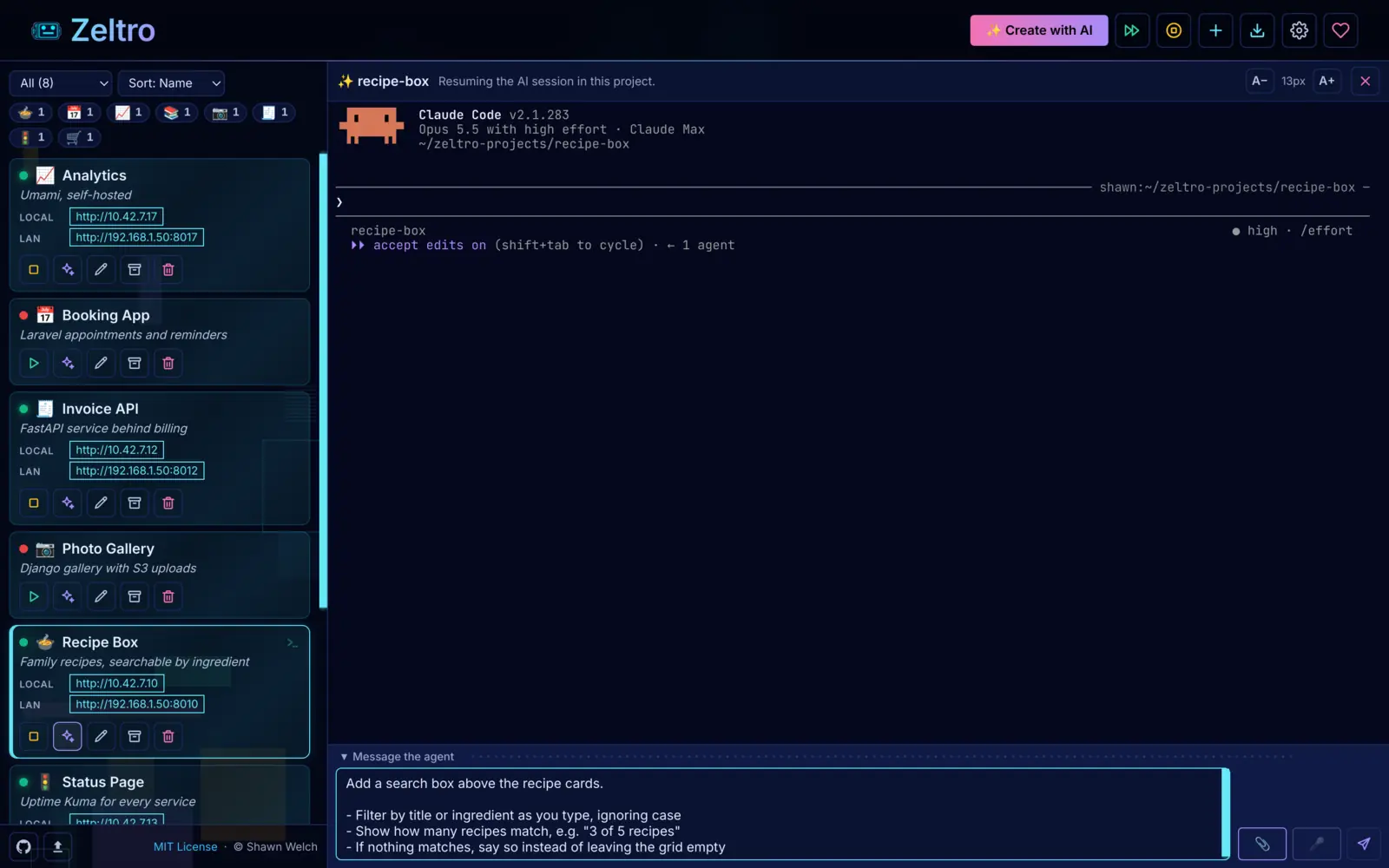
Write the request in a proper text box, send it, and watch the AI work.
Already built something in a browser builder? Bring it along:
Tips that save beginners the most pain#
One change at a time"Add a sign-up form" works. "Add sign-up, payments and an admin page" gets you three half-finished things.
Save a working version firstAsk the AI to "commit this to git" whenever something works. When the next change goes wrong, ask it to go back to the last commit.
Paste the whole errorCopy the full error message, or describe exactly what you see. Do not say "it's broken."
Read what the AI tells youYou do not have to read the code. Reading the summary of each change is how you learn what your app is made of.
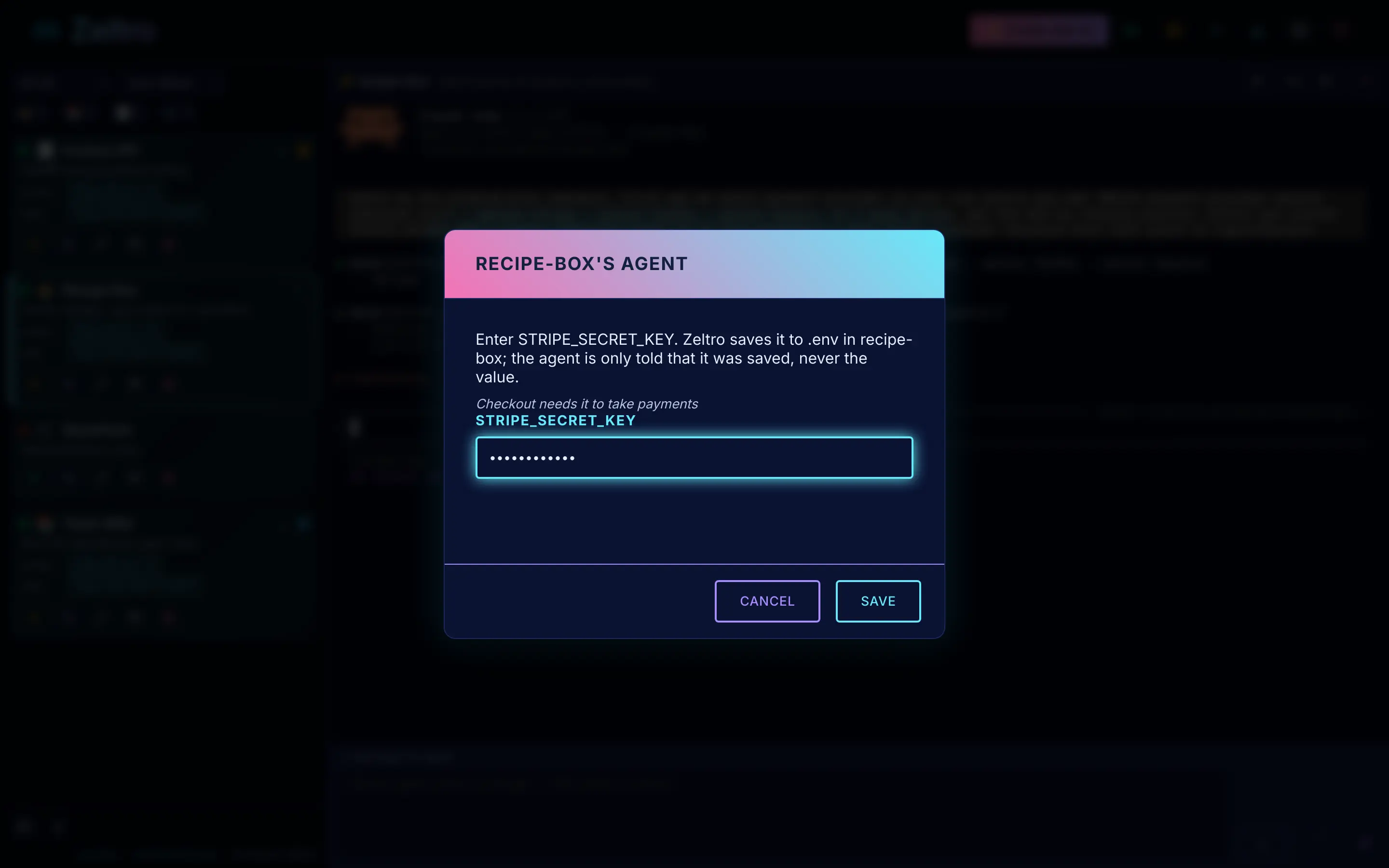
Keep secrets out of the chatPasswords and API keys go in the project's .env file. In the Zeltro app, the AI can ask for them in a separate window that writes them straight there.
Start fresh when it gets confusedLong conversations drift. A new one, pointed at AGENTS.md, is often faster than arguing.
Where "forget the code exists" stops working#
Karpathy described vibe coding for "throwaway weekend projects," and that is where it shines. Once real people sign up and real data goes in, someone has to care about what the code does: who can see which records, where passwords are stored, what happens when two people click at once.
Weekend projects
Personal tools, prototypes, a page for a hobby, anything only you use. Let the AI drive.
Real users, real data
Ask different questions: "Is there anything insecure about how sign-in works?" "What happens if someone types a script into this form?" Then have someone who reads code look it over, or ask me to.
Worth knowing#
Zeltro does not hostThe browser builders publish with one click. Zeltro is where you build. When it is ready, any host works, or I will take it live for you.
Windows takes one extra stepZeltro needs Linux underneath, so on Windows it runs in WSL, the Linux built into Windows. The installer asks for administrator permission once to turn it on, the computer may need a restart, and Zeltro sets up the rest itself. Some PCs also need virtualization switched on in the BIOS first.
Sources#
Checked on 22 October 2026: Andrej Karpathy's post on X of 2 February 2025, as reproduced in Martin Fowler's Vibe Coding note; Claude's pricing and ChatGPT's Codex pricing pages. Builder prices and quotes are from the cost comparison, which lists its own sources. Plans change, so check them before you start.
Questions
What is vibe coding?
Building software by describing what you want to an AI and letting it write the code, judging the result by what it does rather than by reading the code. Andrej Karpathy coined the term in February 2025.
Can I vibe code without knowing how to code?
Yes. That is the point of it. You will hit problems you need help to understand, and the AI can usually explain them. Most people find they pick up a surprising amount just by reading what the AI says about each change.
What is the best vibe coding tool for beginners?
To try it for the first time, a browser builder such as Lovable or Bolt: nothing to install. Once you are building regularly, an agent on your own computer, such as Claude Code or Codex, costs less and has no credits to run out. Zeltro sets up everything that agent needs. See the full comparison.
Is vibe coding free?
It can be. Codex comes with ChatGPT's free plan for small tasks, and a local model on your own computer costs nothing but electricity, though it needs a strong graphics card and is slower and less capable than the paid models. Most people building regularly pay about $20 a month for Claude Pro or ChatGPT Plus.
Can I vibe code on my own computer?
Yes. Use an agent such as Claude Code or Codex. Zeltro gives it a ready-made environment, so it builds the app instead of spending your limits on setup. See Claude Code for beginners for a step-by-step version.
Is vibe-coded software safe to put online?
For a personal project, usually. For anything that stores other people's data, have someone who reads code review it first, and ask the AI direct questions about security. The AI writes what you ask for, and nobody asks for security by default.
What does Zeltro cost?
The Zeltro app is free for personal use, hobby projects and learning, with no account.
A business using it, including for paid client work, buys a
lifetime commercial license once, for US$99.99. The zeltro command line
tool is open source (MIT). Separately, you pay for your AI: a subscription you
already have, an API key billed per use, or nothing with a local model.
Keep vibe coding, minus the meter
Install Zeltro, connect the AI you already have, and describe your next app. The setup is done before the AI starts. Free for personal use, with no account.
Install Zeltro Why bring your own key
Rather not set it up yourself? I’ll do it for you.
Checked 2026-11-09. Other products change often — if something here is out of date, tell us and it gets fixed.