
Zeltro › Claude Code for beginners, after Lovable or Bolt
Claude Code for beginners
Outgrown Lovable, Bolt or Replit, or never got Claude Code past setup? What you need, what it costs, the two walls beginners hit (credits and setup), and how to go from an idea to a running app with a database on your own computer.
This page is for a particular kind of beginner. You have built something with Lovable, Bolt, Replit or Base44, or you have watched a few videos, and you know what it feels like to describe an app and watch it appear. You are not a programmer, or not yet. And you have hit one of two walls.
The two walls#
The credit wall
The browser builders charge by the message, and the meter keeps running when the AI gets it wrong. Bolt's own docs warn against clicking "Attempt fix" over and over because "each attempt uses tokens," and Base44's credits are "non-refundable for… AI mistakes."
A project that was cheap on its first weekend gets expensive in its second week, right when it starts to get interesting.
The setup wall
So you try Claude Code, which many of those builders run on anyway. Then it asks where your project is. It wants Node or Python or PHP, then a database, then a .env file, then port 5432 is already in use.
An hour in, there is not a single page of your app, and Claude has spent your usage limits on plumbing.
The first wall is about money. The second is about everything the browser builders were quietly doing for you. Get past both and you have the same kind of AI building your app, on your own computer, for a flat monthly price:
The builder numbers, and their sources, are in the cost comparison.
What you need#
A Claude plan
Pro or Max. Claude Code is not on the free plan.
- Pro$20 a month, or $17 billed yearly
- Maxfrom $100 a month
Claude Code
Anthropic's coding agent. It reads and writes the files in your project and runs commands.
- CostIncluded with the plan
A place for the app to run
The language, a database and an address, already set up so Claude does not have to.
- ZeltroFree for personal use
A computer
Linux, a Mac, or Windows 10 or 11, where Zeltro sets up WSL for you.
- CostYou have one
Claude Code's limits work differently from credits. Anthropic's pricing page says "every plan has usage limits that reset on a rolling five-hour session window," plus a weekly limit. Hit the limit and you wait for it to reset; nothing is billed. If you would rather pay per use, Claude Code also works with an API key.
From nothing to a running app#
Install Zeltro
Zeltro is a free development platform for your own computer. Each project gets its own space with the right language installed, and every project shares one set of databases. The installer sets up Docker, the part that makes this work, so you do not have to know what it is.
On a Mac, paste this into Terminal. On Linux, download the app from the install section and open it.
curl -fsSL https://dist.canebaycomputers.com/zeltro/mac | bashConnect Claude Code
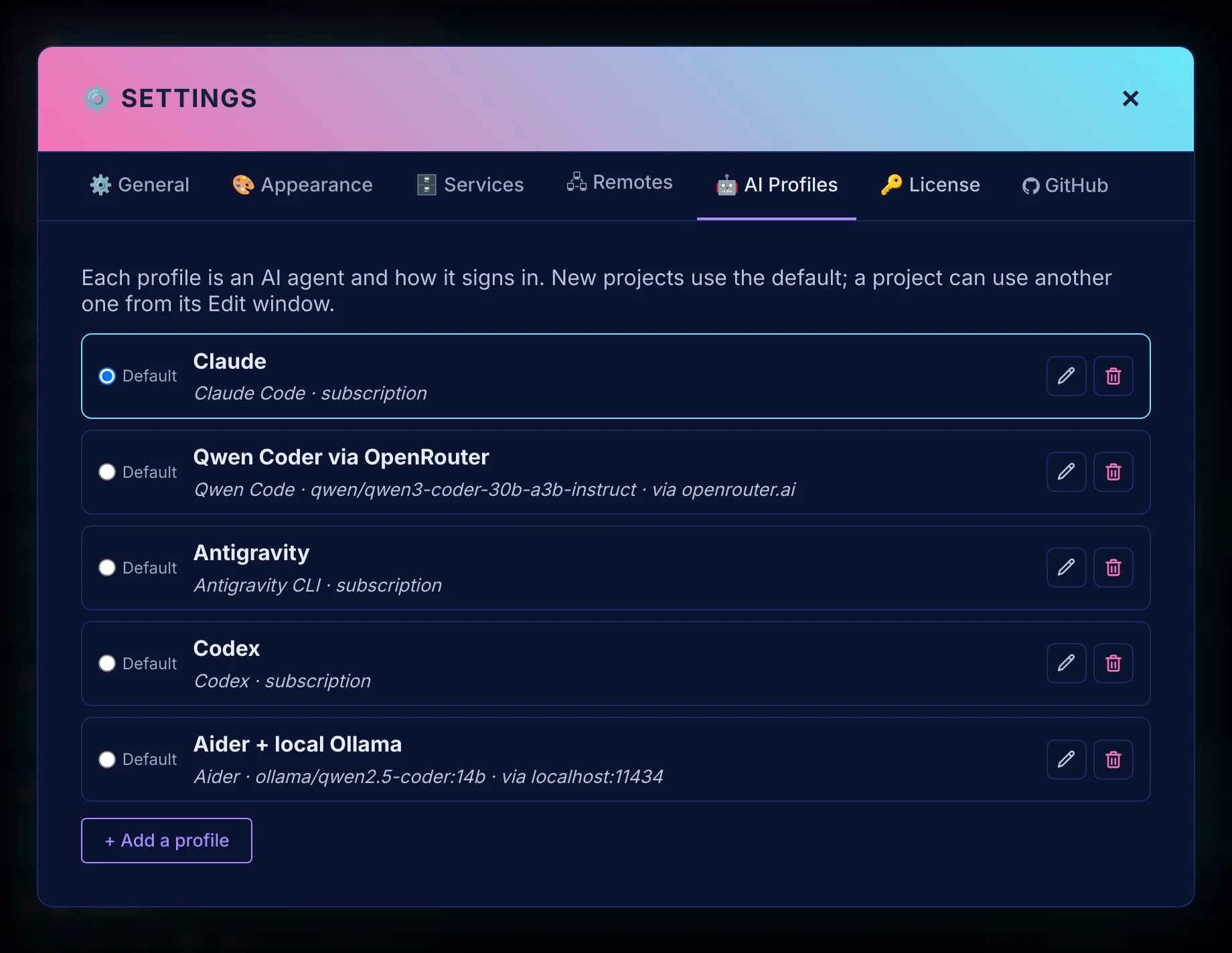
In the Zeltro app, choose Claude Code in the AI settings. If it is not installed, Zeltro installs it. Then sign in once with your Claude account, the same way you sign in to claude.ai. Prefer the terminal?
zeltro ai-set --agent claudedoes the same.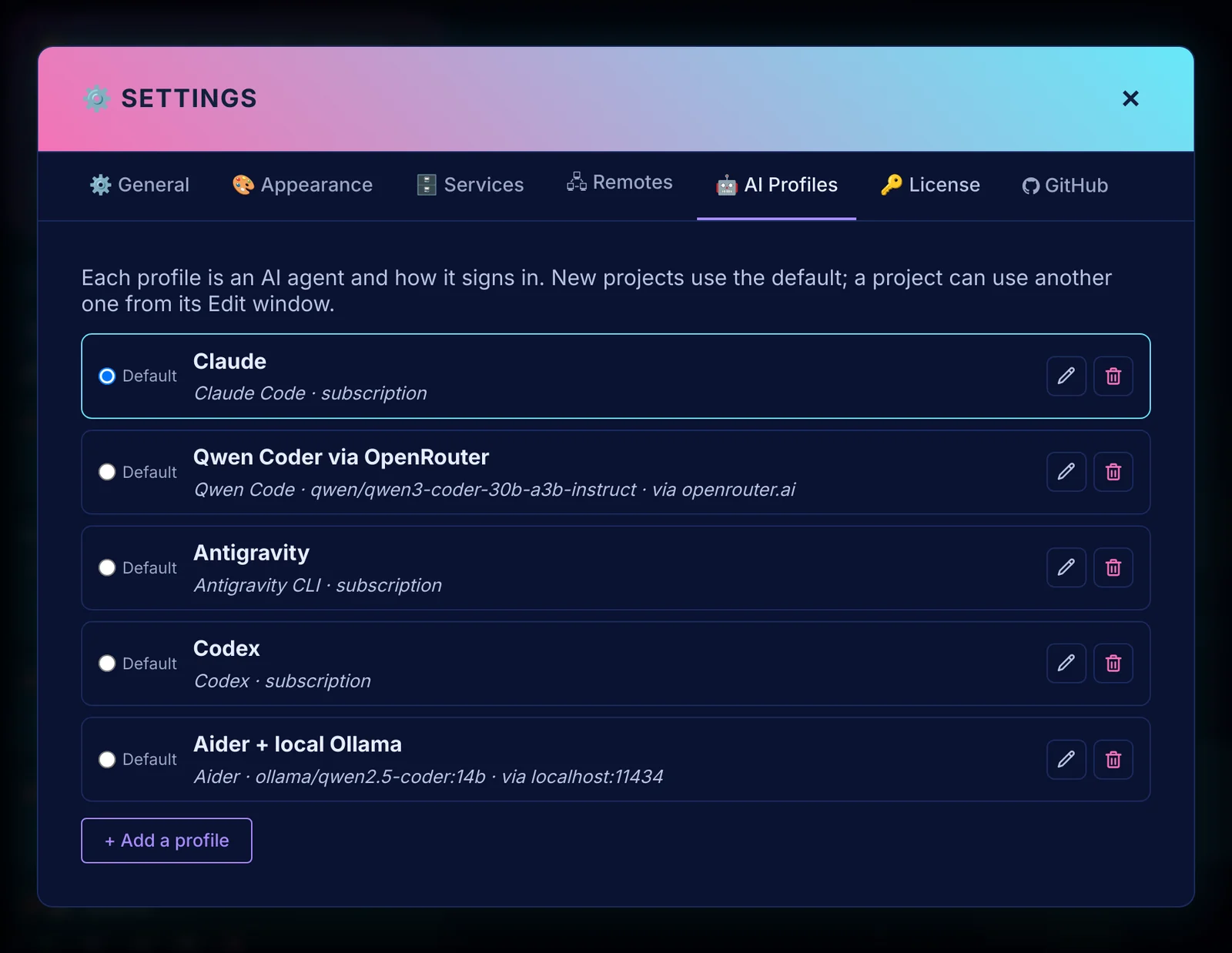
Claude Code as the default, with room for other AIs later. Describe what you want
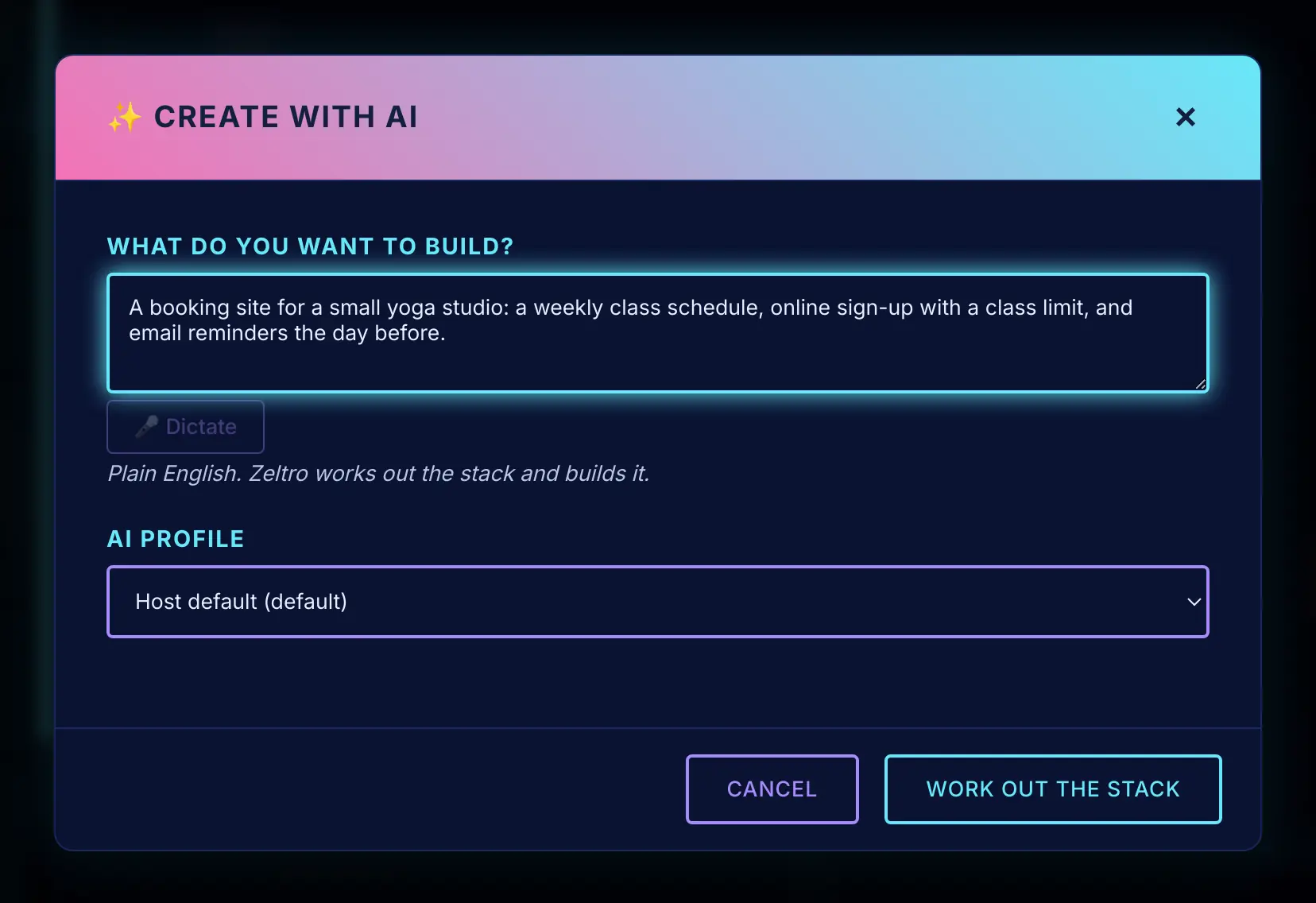
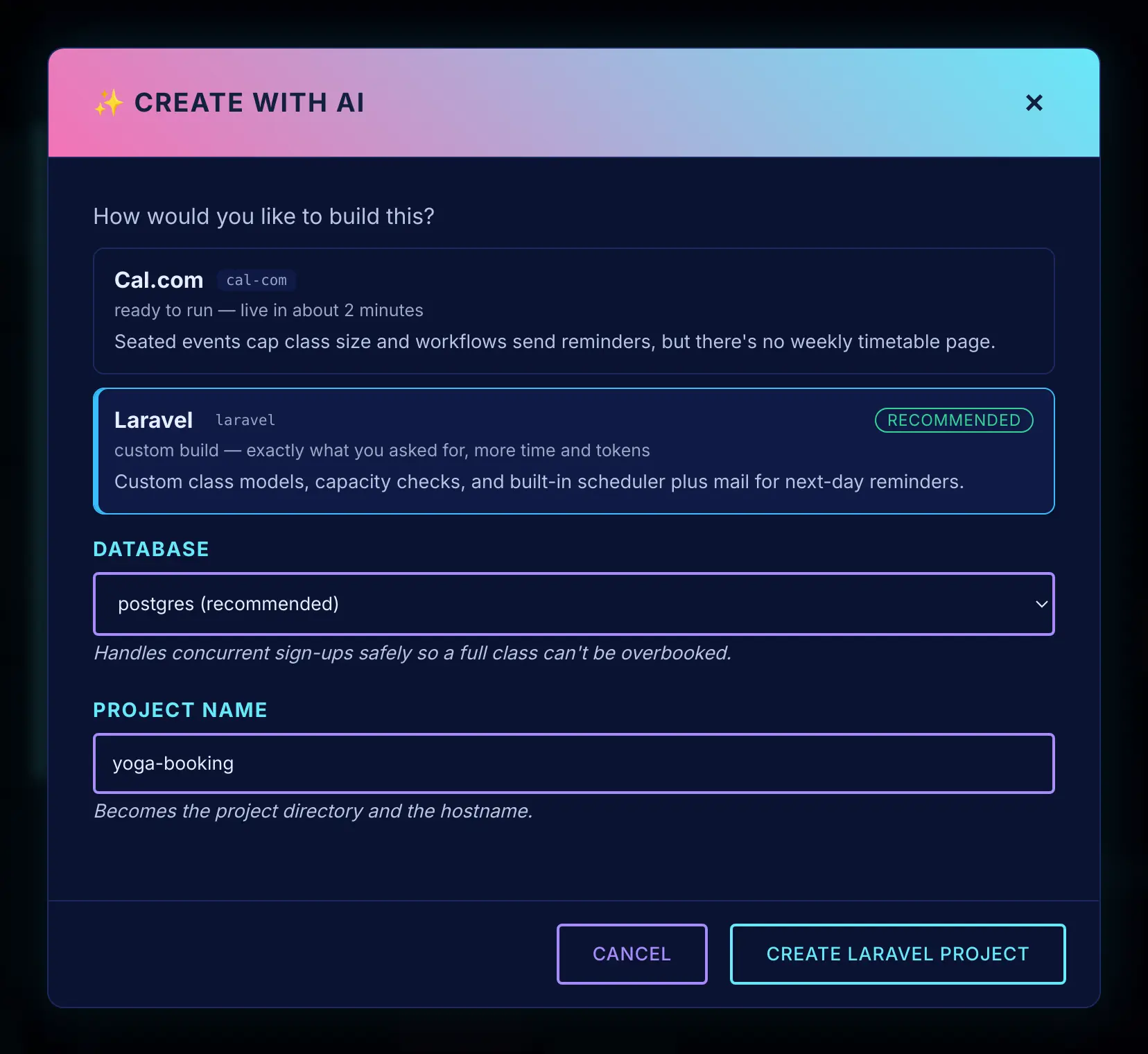
Click Create with AI and describe the app in plain English, the way you would in Lovable. Zeltro suggests how to build it, each option with a one-line reason: a ready-made app if one already does the job, or a framework and a database if it needs building. You do not need to know Laravel from Django to choose.
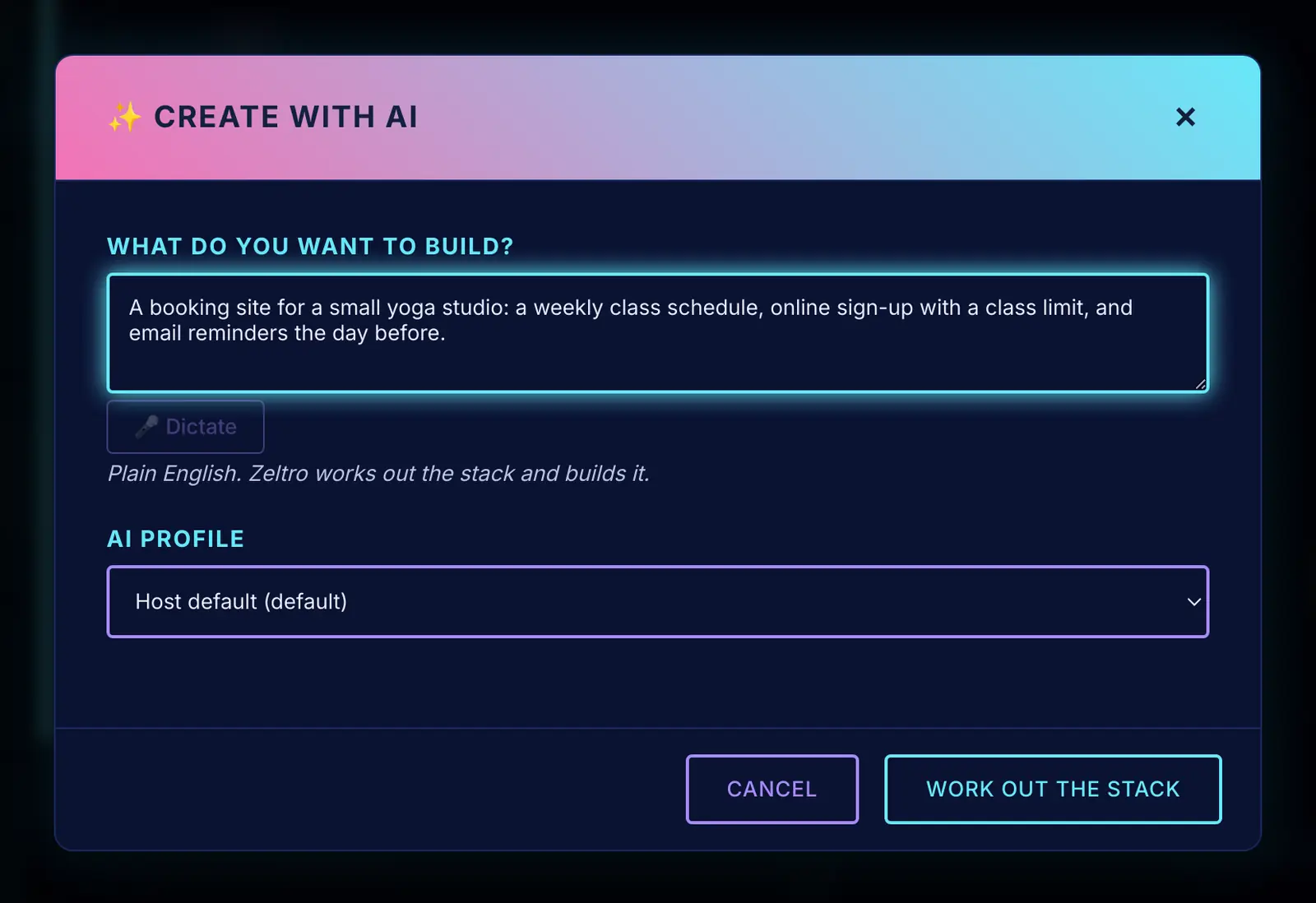
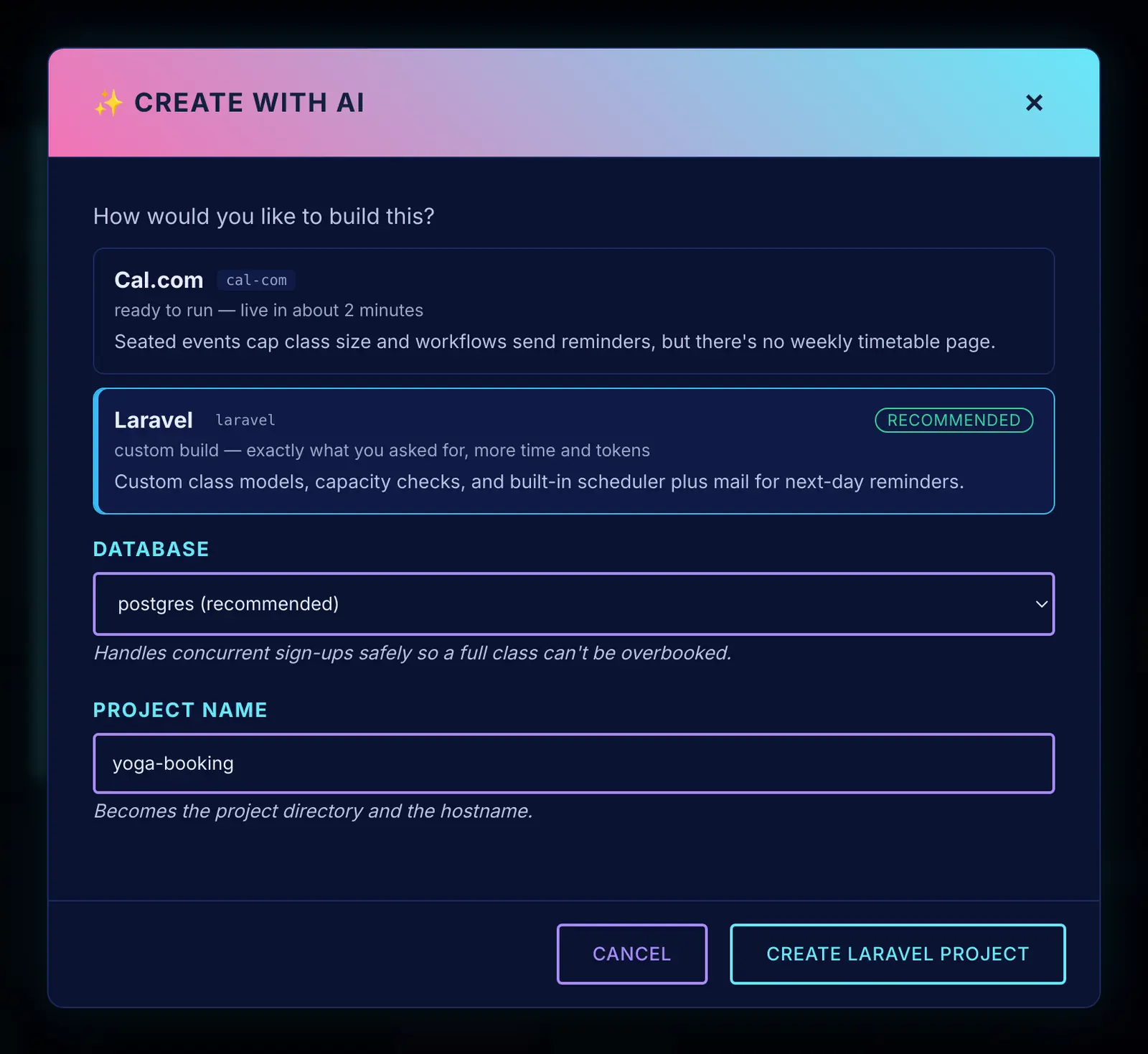
Pick one and Zeltro creates the project, its database and its address, then hands it to Claude Code. From a terminal it is one command:
zeltro create "A booking site for a small yoga studio, with a class schedule, sign-up limits and reminder emails"Keep talking to it
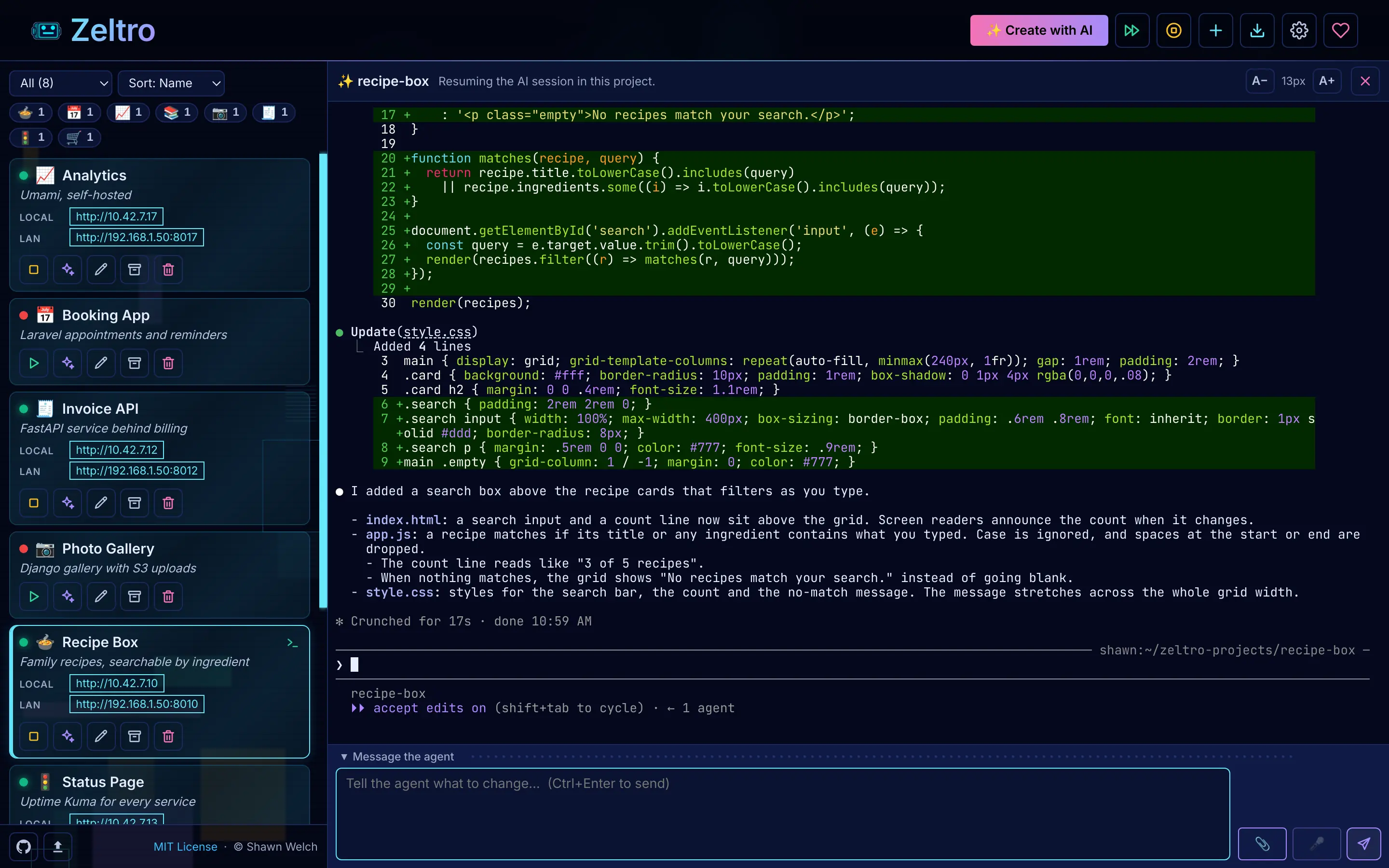
From here it feels like the builders you know. You type in a message box, Claude changes the app, and you look at the result. Every project has an
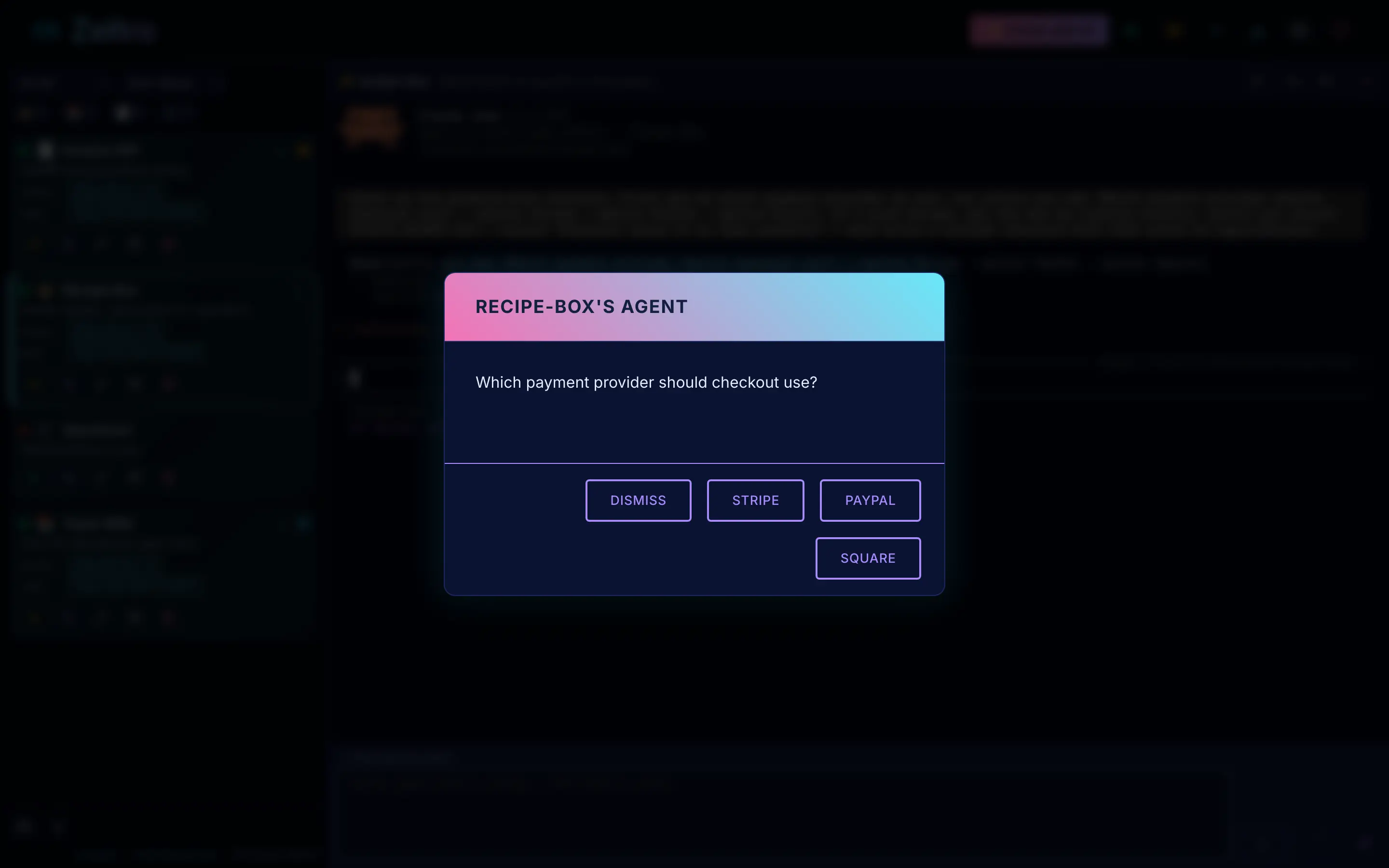
AGENTS.mdthat tells Claude where the app runs, which database it uses and which commands work, so it starts every conversation already oriented instead of asking you.When Claude needs a decision or a password, the app asks you in a window instead of expecting you to type it into the chat.
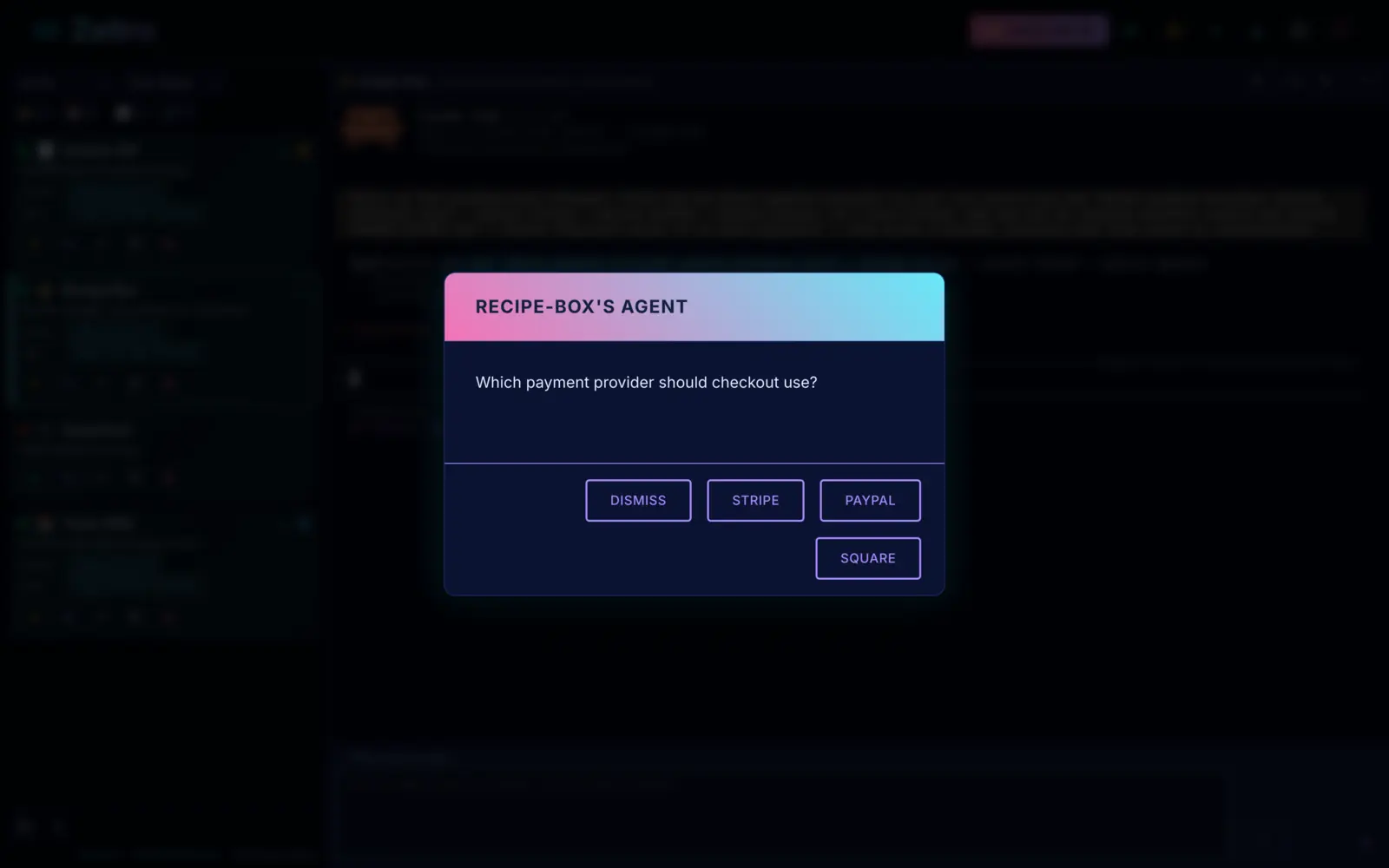
The agent asks; you click an answer.
What changes when you leave the browser#
You can see everythingThe code is in a folder on your computer. Nothing is behind a "download codebase" button or a paid plan.
The app can be anythingLovable and Bolt build JavaScript. On your own machine, Claude can build in PHP, Python or JavaScript, and Zeltro suggests whichever fits the idea.
Mistakes cost time, not creditsA bug loop still uses your Claude limits, but there is no meter of purchased credits running down.
You will learn thingsClaude explains what it changes. You do not need to read the code, but you will start to, and that is when most people stop being beginners.
Coming from a builder with an app already?#
Bring it with you. These pages cover the export, the database and the first run:
Worth knowing#
Zeltro does not hostThe browser builders put your app online with one click. Zeltro is where you build it. When it is ready, any host works, or I will take it live for you.
Windows takes one extra stepZeltro needs Linux underneath, so on Windows it runs in WSL, the Linux built into Windows. The installer asks for administrator permission once to turn it on, the computer may need a restart, and Zeltro sets up the rest itself. Some PCs also need virtualization switched on in the BIOS first.
It is not magicClaude makes mistakes, and on your own machine nobody hides them. When something breaks, paste the error into the chat. That works most of the time.
Sources#
Checked on 22 October 2026: Claude's pricing page and Claude Code's setup page. Builder prices and quotes are from the cost comparison, which lists its own sources. Plans change, so check them before you start.
Questions
Is Claude Code good for beginners?
For beginners who have used a browser builder, yes. The way you work, describing changes in plain English, is the same. What is new is the setup: installing languages, databases and tools. Zeltro does that part, so Claude can go straight to building.
Can I use Claude Code without knowing how to code?
Yes. You describe what you want and Claude writes the code. You will get further if you read what Claude tells you about each change, and you will pick up a lot that way, but you do not need to know how to code to start.
Is Claude Code free?
No. It needs a Claude Pro or Max plan, a team plan, or an API key. Pro is $20 a month, or $17 a month billed yearly. The free claude.ai plan does not include Claude Code.
Is Claude Code cheaper than Lovable or Bolt?
Often, once you build more than a little. Lovable and Bolt start at about $25 a month for roughly 100 messages, and buy more when they run out. Claude Pro is $20 a month with usage limits that reset every five hours, and no credits to buy. Try your own numbers in the savings calculator.
Can I vibe code on my own computer?
Yes. That is what this page describes: Claude Code, or another agent such as Codex or Antigravity, building on your machine instead of in a browser tab. Zeltro works with all of them, and with free local models too. See vibe coding for beginners and bring your own key.
Do I need the terminal?
Not much. The Zeltro app has a project list, a message box for talking to Claude, and a preview of your app. Claude Code itself runs in a terminal inside the app, so you will see one, but you type to it in plain English.
What does Zeltro cost?
The Zeltro app is free for personal use, hobby projects and learning, with no account.
A business using it, including for paid client work, buys a
lifetime commercial license once, for US$99.99. The zeltro command line
tool is open source (MIT). Separately, you pay for your AI: a subscription you
already have, an API key billed per use, or nothing with a local model.
Skip the setup wall
Install Zeltro, sign in to Claude Code, and describe your app. The language, the database and the address are already handled, so Claude spends your plan on the app. Free for personal use, with no account.
Install Zeltro Why bring your own key
Rather not set it up yourself? I’ll do it for you.
Checked 2026-11-09. Other products change often — if something here is out of date, tell us and it gets fixed.