
Zeltro › AI app builder for PHP and Python
An AI app builder that speaks PHP and Python
Most prompt-to-app tools build one thing — a JavaScript app on someone else's server. Zeltro builds Laravel, Django, FastAPI, WordPress and Next.js on your own machine, with whichever AI agent you already pay for.
Ask Lovable, Bolt, v0 or Dyad to build you something and you get a JavaScript app. That is not a criticism — they are good at it, and for a React front end they are genuinely faster than anything you would set up yourself.
But a lot of working software is not a React front end. It is a Laravel app with a MySQL database. It is a Django admin. It is a FastAPI service with a Mongo collection behind it. If that is what you are building, the prompt-to-app category mostly does not serve you.
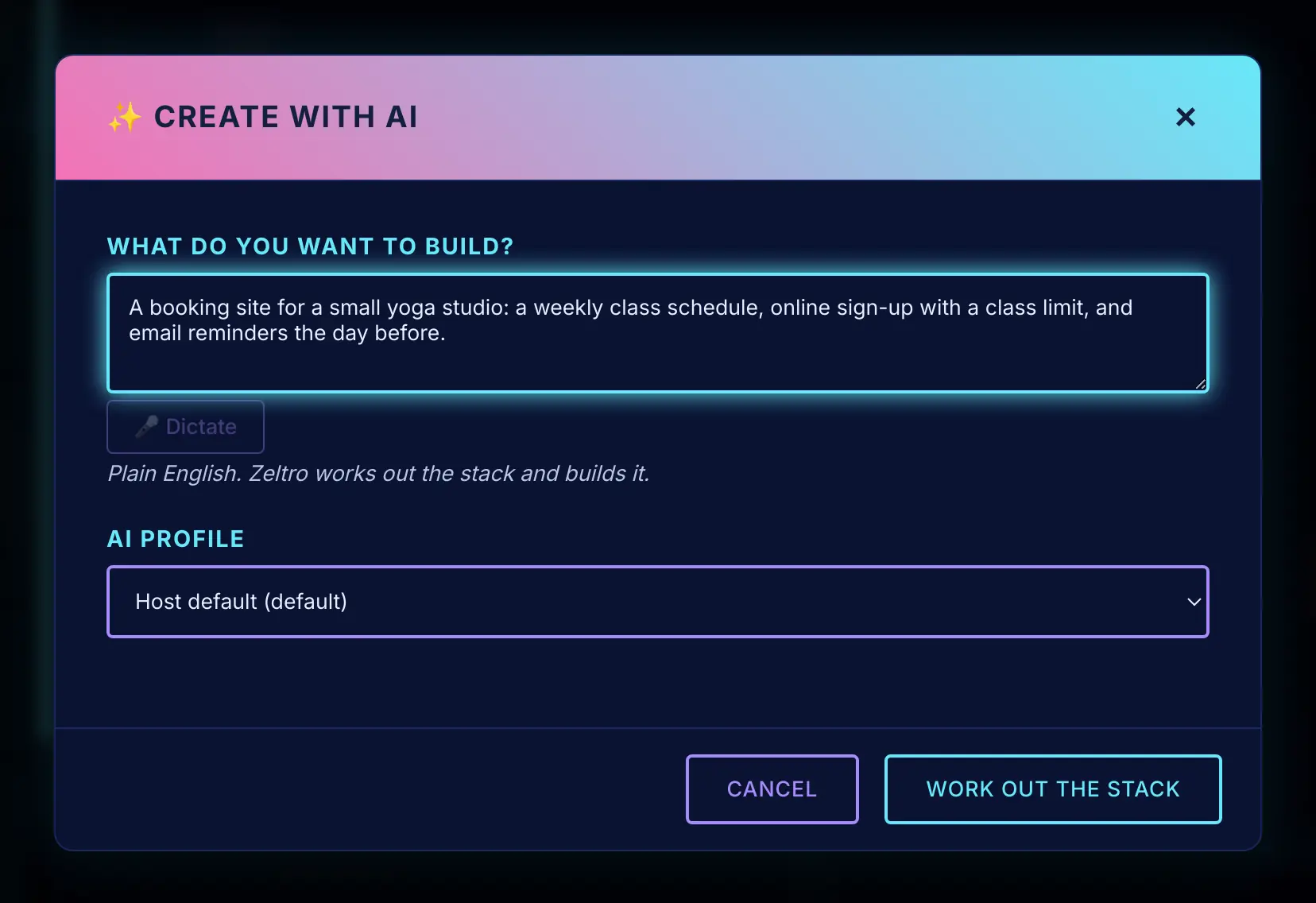
Zeltro does. zeltro create takes a plain-English idea, works out the stack,
scaffolds the project, and hands it to an AI agent inside a container that
already has the runtime and the database wired up.
zeltro create "a booking system for a barber shop with SMS reminders"
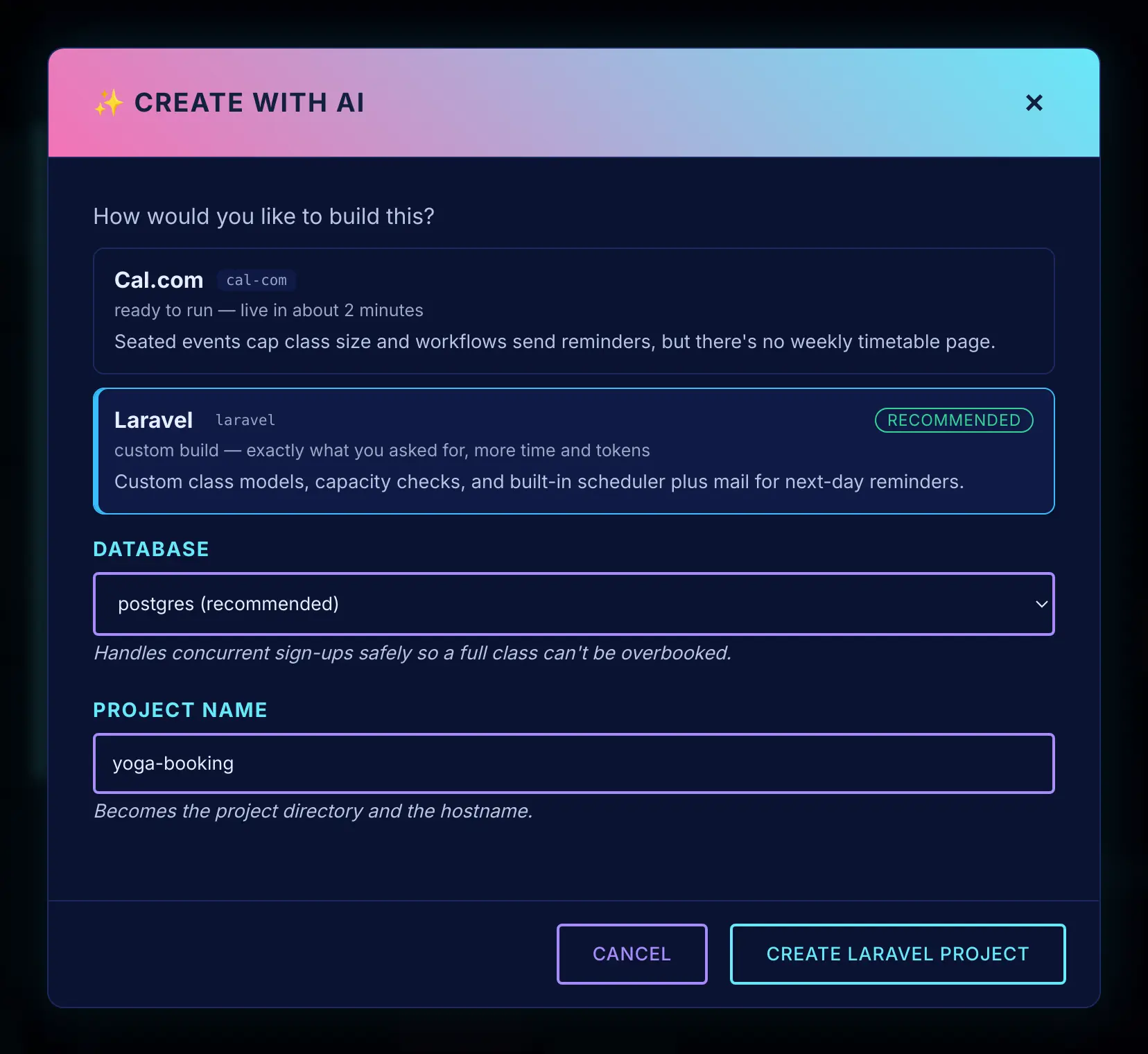
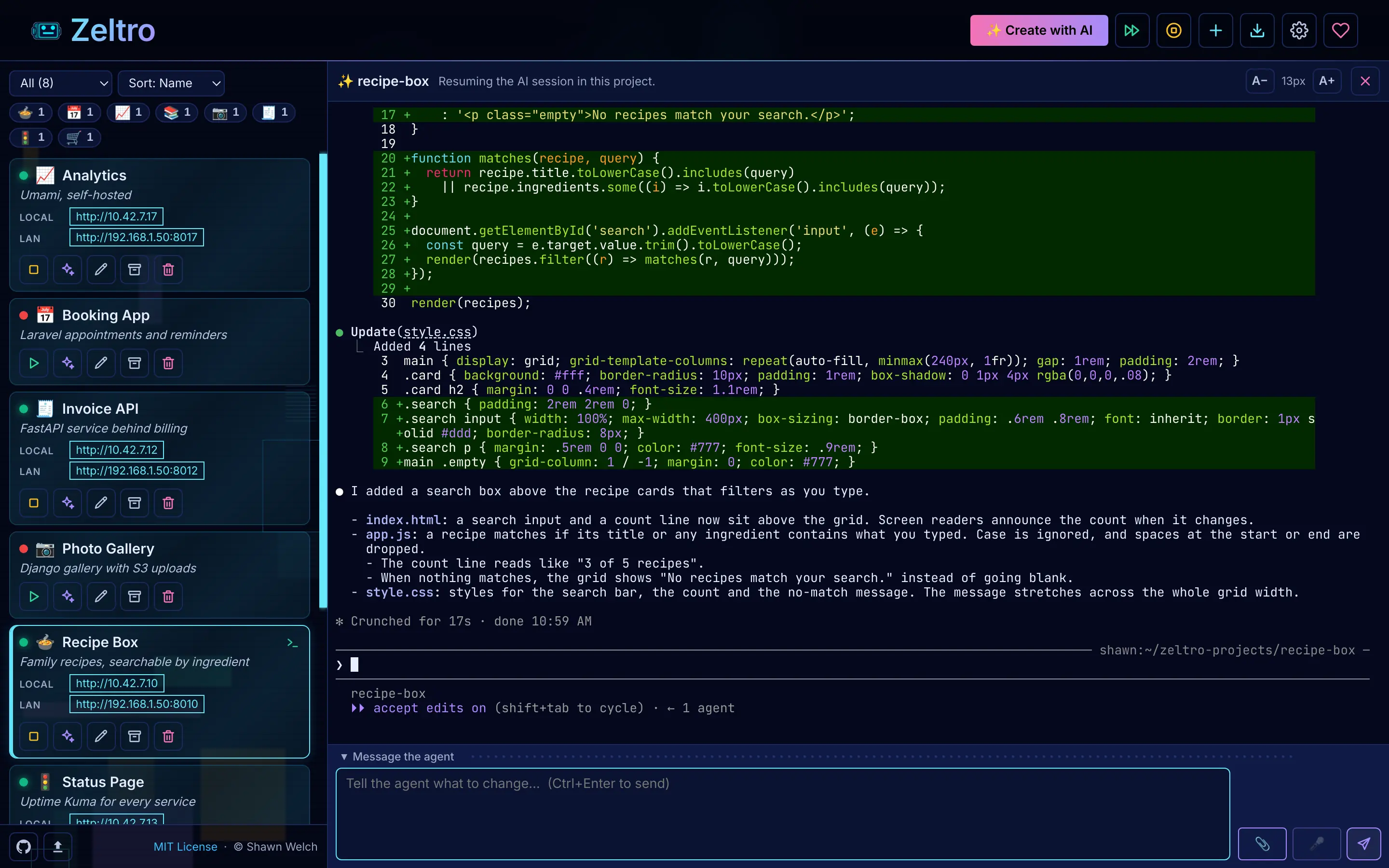
It classifies the idea, picks a framework and a database, creates the project, and drops you into an interactive session with your agent in the project directory. There is no export step at the end, because the project was on your disk from the first second.
What it can actually build#
Zeltro scaffolds these directly, each on a base image that already has the runtime, nginx, supervisor and every database driver compiled in:
PHP 8.3
Laravel, WordPress, October CMS, Kavera, plain PHP
Python 3
Django, FastAPI, Flask, plain Python
Node 22
Next.js, Nuxt, SvelteKit, Astro, Express, NestJS, Fastify, Hono, React, Vue
You never write a Dockerfile, hunt for an image tag, or work out which PHP
extension you are missing. pdo_mysql, pdo_pgsql, redis, mongodb,
gunicorn and uvicorn are already there on every project.
Whose model builds it#
Yours. Zeltro drives an agent you configure, not a model it bundles:
zeltro ai-set --agent claude
zeltro ai-set --agent codex
zeltro ai-set --agent agy
zeltro ai-set --agent qwen  --model qwen/qwen3-coder-next --api-base https://openrouter.ai/api/v1 --api-key sk-or-...
zeltro ai-set --agent aider --model openai/llama3.1 --api-base http://localhost:11434/v1 --api-key ollama
If you already pay for Claude or ChatGPT, that subscription does the work. If you would rather run something cheap, an OpenRouter model can be an order of magnitude cheaper than a frontier one. If you would rather nothing left the building at all, point it at Ollama on your own machine.
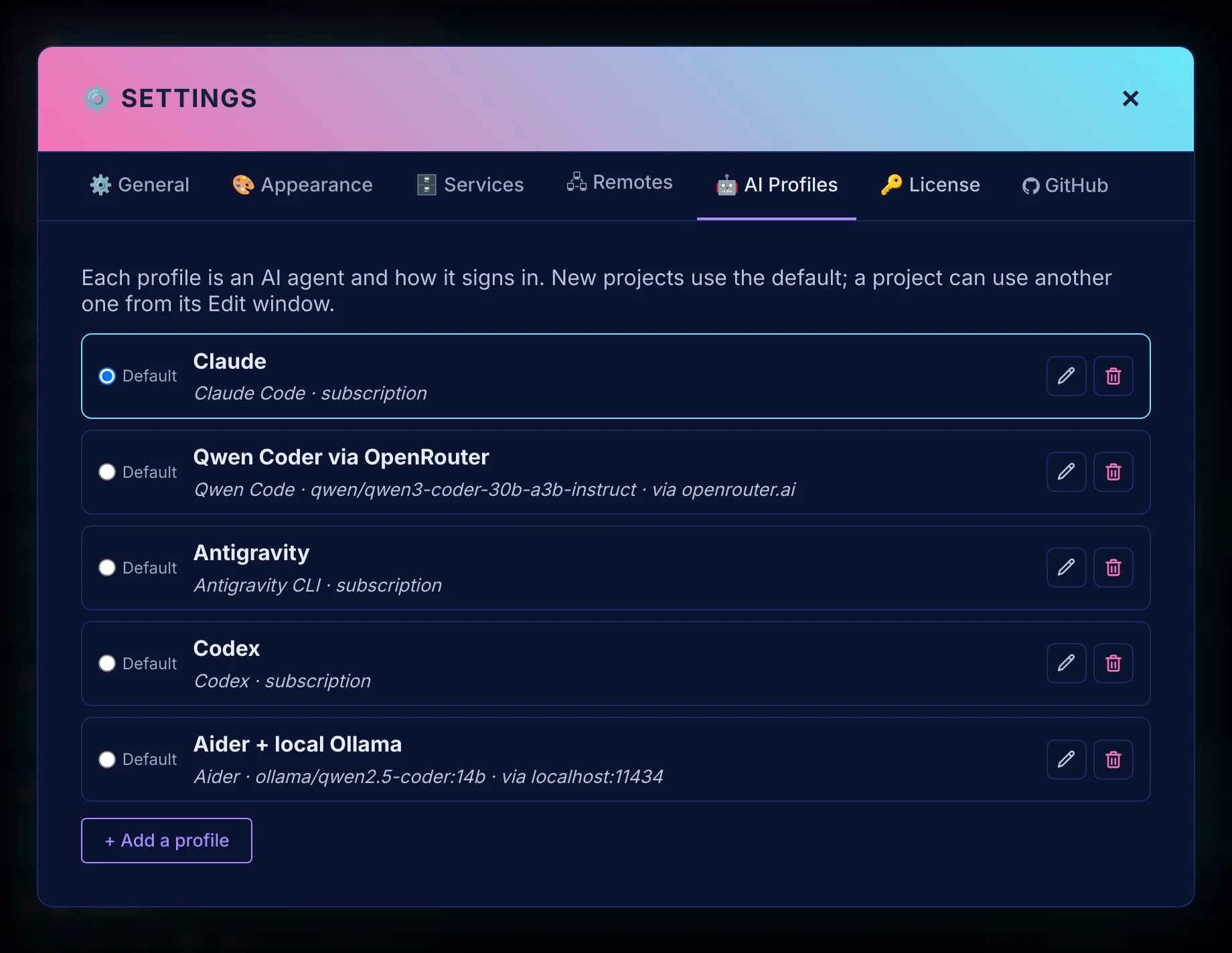
This is the part that differs most from a hosted builder. Their pricing bundles the model, so your bill scales with how much you prompt. Here the model is a line item you already control, and the tool itself is free for personal use (businesses pay US$99.99 once).
What you get that a hosted builder does not#
The code, immediately
No export tier, no download button, no SDK calling back to somebody's servers. The project is a directory in your projects folder.
More than one project
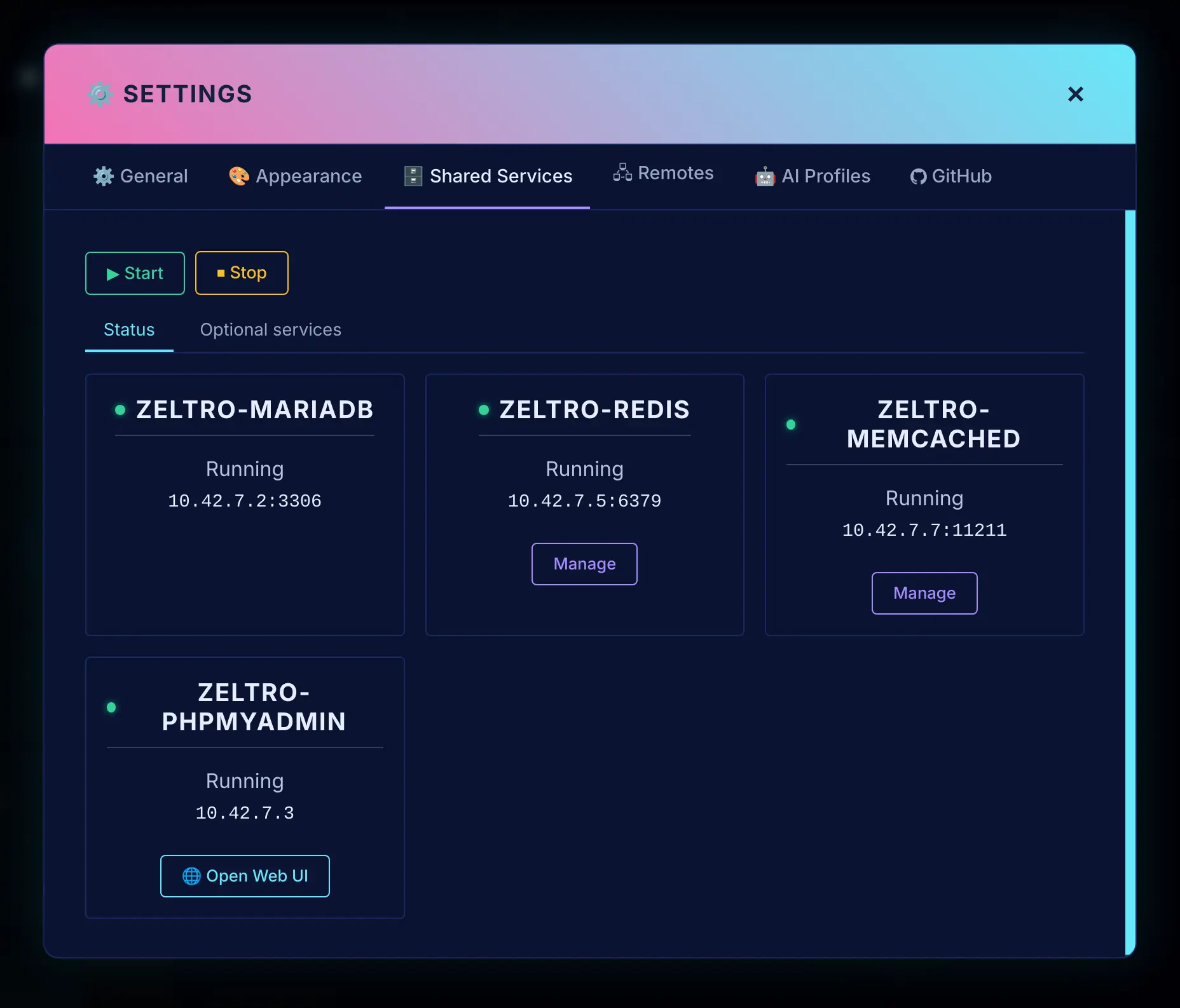
Hosted builders think in terms of one app at a time. Zeltro assumes you have twelve. Every project gets its own address, assigned for you, and they all share one MariaDB, one Postgres, one Redis and one Mongo, so ten projects cost you one set of databases rather than ten.
A database your agent can actually use
The agent gets a project where the database already exists and the credentials are already in .env. It builds your app instead of spending its first twenty minutes reinventing infrastructure.
Context that survives
Every project gets an AGENTS.md describing its URL, its database and its commands, so tomorrow's session picks the project up cold instead of relearning it.
What to expect#
It does not host your appA hosted builder hands you a live URL at the end. Zeltro hands you a running app on your own machine, which you can put on any host you like. Or I will do it for you: server, domain, certificate, kept running.
It runs on Docker, and you do not have to learn itThe desktop app installs it and manages every project for you. Linux and macOS install with one command, and Windows has a normal installer.
Your agent writes the codeZeltro is the environment and the scaffolding; the AI you choose does the building. So point it at the best model you have, or a free local one while you experiment.
Questions
What does Zeltro cost?
The Zeltro app is free for personal use, hobby projects and learning, with no account.
A business using it, including for paid client work, buys a
lifetime commercial license once, for US$99.99. The zeltro command line
tool is open source (MIT). Separately, you pay for your AI: a subscription you
already have, an API key billed per use, or nothing with a local model.
Can I use it with Claude Code or Codex?
Yes. zeltro ai-set --agent claude and zeltro ai-set --agent codex both use
those tools' own account sign-in, so your existing subscription does the work.
Antigravity, Qwen Code, Aider, OpenCode and Hermes Agent are also supported; Qwen and
Aider need an API key because they talk straight to a provider, while OpenCode and
Hermes can use their own sign-in or a key.
Does it work on Windows?
Through WSL2, yes. Zeltro is Docker-based, so it needs a Linux environment underneath. The installer handles the WSL2 setup, but WSL2 itself is a requirement, not an option.
How is this different from just running Docker Compose myself?
You can absolutely do that, and if you have one project it is not much work. The difference shows up at the fifth project: every compose file wants port 3306, every project brings its own database container, and nothing can talk to anything else without manual networking. Zeltro shares one set of services across every project on one network, so none of that arises.
Can it work on a project I already have?
Yes. zeltro setup <project> adapts an existing directory, and zeltro clone
pulls a repo and sets it up in one step. If the project already has a
docker-compose.yaml, Zeltro rewires the bundled databases to the shared ones
and keeps the original as docker-compose.upstream.yaml.
Do I have to use the AI part?
No. zeltro new laravel my-app scaffolds a project with no agent involved, and
plenty of people use it purely as a local development environment. The AI
commands are a layer on top, not a requirement.
Try Zeltro on your own computer
Free for personal use, with no account. Build with the AI you already pay for, and keep the app, its data and its code on your own machine.
Install Zeltro Why bring your own key
Rather not set it up yourself? I’ll do it for you.
Checked 2026-09-28. Other products change often — if something here is out of date, tell us and it gets fixed.