
Zeltro › Move your Lovable app to Zeltro and keep building locally
Moving a Lovable app to Zeltro
Move your Lovable app to Zeltro: connect GitHub, import it, and keep building on your computer with your own AI. Your Lovable Cloud data keeps working, or one message moves it into Zeltro too.
Lovable is good at getting an app from an idea to a working screen. The day comes, though, when you want the app somewhere you control: no credits running down every time you ask for a change, no question of what happens if the plan changes, and the code on a machine you own.
Lovable is unusually open about this. Its own docs say you can "export your code, migrate your data, self-host parts or all of your stack, or move to another provider at any time." This page is the practical version, tested end to end with a fresh Lovable project on the free plan: what moves, what stays, and the exact clicks.
What you can take with you#
A Lovable project is two things, and they leave differently.
| Piece | What it is | How it comes out |
|---|---|---|
| The app | A React app in TypeScript. New projects use TanStack Start (React with server rendering) on Vite | GitHub sync on every plan, or Download codebase on paid plans |
| Database schema | Migration files in the repository | Comes with the code |
| Data, sign-in, file storage, Edge Functions | Lovable Cloud, which runs on Supabase | Stays where it is. The app keeps using it from your computer |
The code is the easy part, and the next three steps move it. The backend can stay on Lovable Cloud while you build: the app talks to it straight from the browser, so the copy on your computer reads and writes the same data. Moving the backend too is a separate job, covered further down.
Step 1: connect your Lovable project to GitHub#
- In your Lovable project, click the project name at the top left, then the gear icon, to open the project's settings.
- Open Settings → Git and choose GitHub.
- Lovable asks to install its GitHub App. Pick your account or organization. You can give it access to selected repositories only.
- Lovable creates a new repository for the project and keeps it in two-way sync. It does not push into a repository you made yourself, so let it create its own.
That works on every plan, including the free one. On a paid plan you can also choose Download codebase from the same screen.
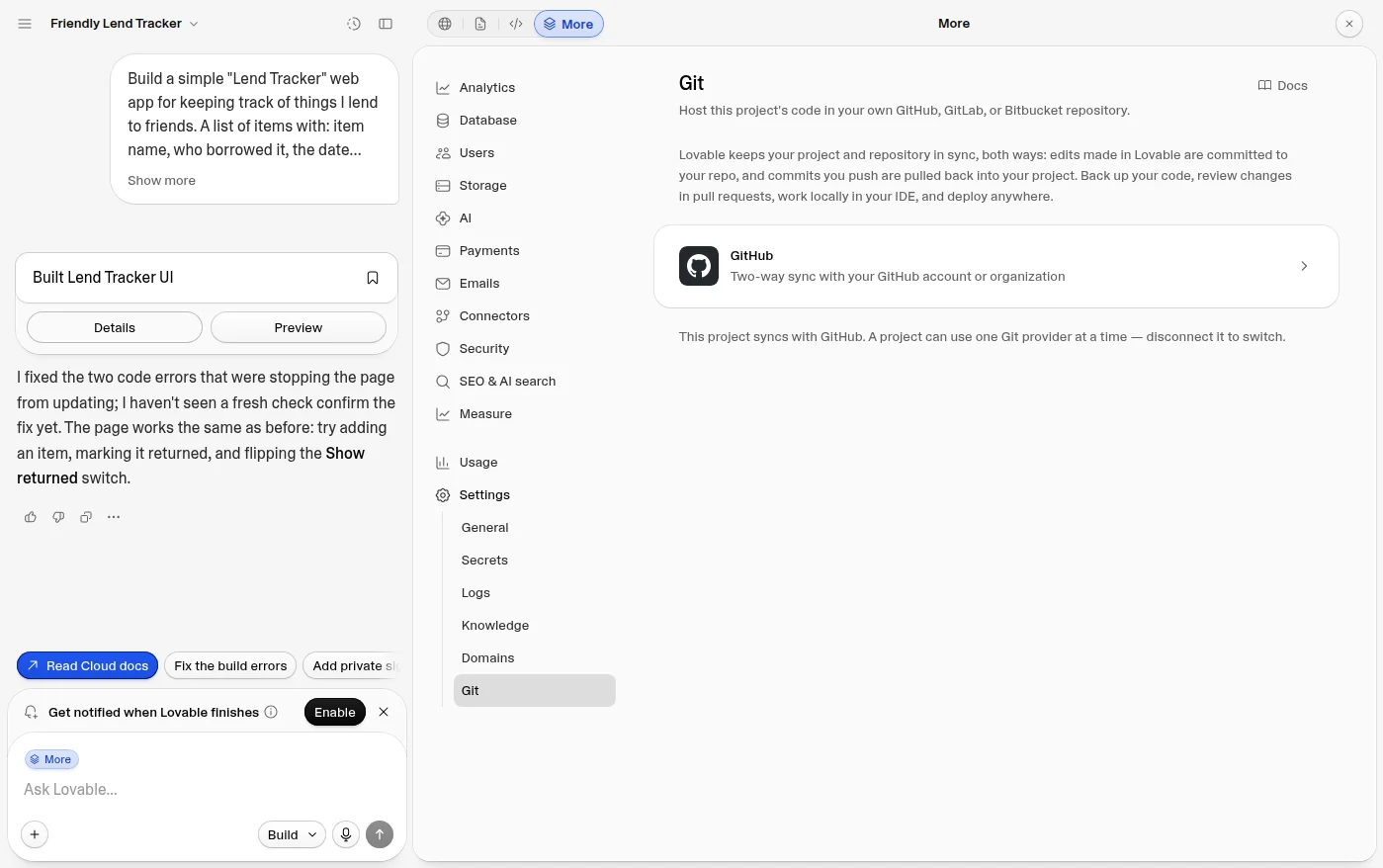
Once it is connected, the same screen shows the repository, In sync with GitHub, and a Clone repository address. Copy the HTTPS one: it is all Zeltro needs.
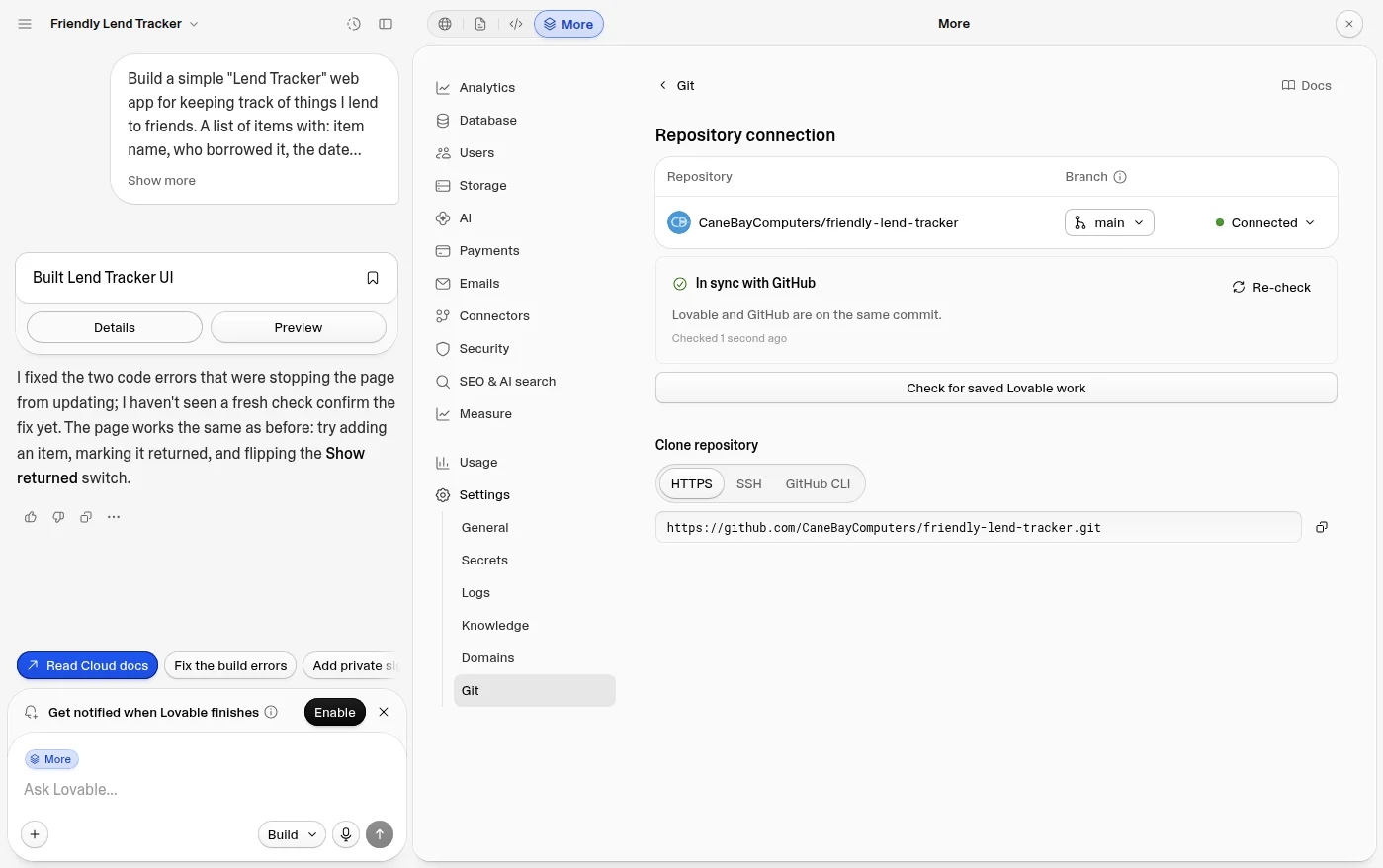
Sync goes both ways. Edits made in Lovable are committed to the repository, and commits you push to the synced branch show up back in Lovable. If you disconnect later, Lovable "stops the sync and changes nothing else": the repository keeps its full history.
Step 2: import it into Zeltro#
Zeltro is a free local development platform: each project runs in its own container, every project shares one set of databases, and your AI agent works inside the project.
In the Zeltro app, click Add Project and choose Import from GitHub. Paste the address, leave Keep working in this repository selected, give the project a name, and click Import.
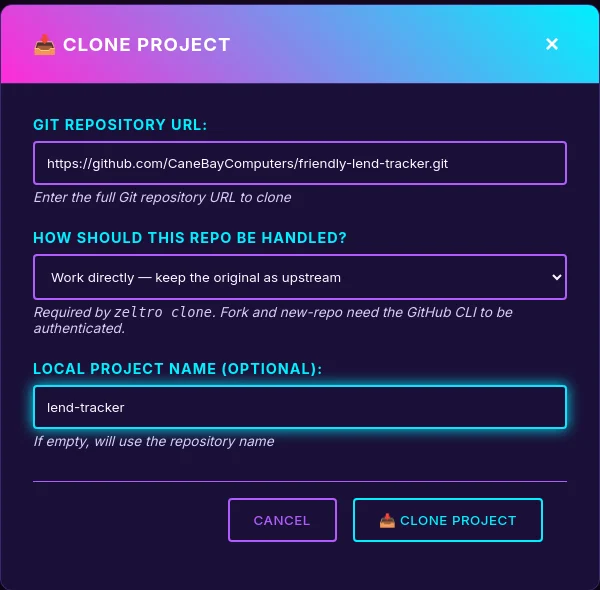
In our test it took about three minutes. In that time Zeltro:
- installs the app's packages, working around the npm resolver bug that Lovable's current dependency set trips;
- runs the dev server on the port Zeltro serves projects from, whatever port Lovable's config asks for;
- gives the project its own address on your computer, and one on your network for trying it on a phone;
- has your AI agent check the setup against the repository.
Zeltro's own files stay out of the repository's history (they go in
.git/info/exclude, not the project's .gitignore), so nothing of Zeltro's ever
syncs back into your Lovable project.
The same from a terminal:
zeltro clone work-directly https://github.com/you/your-lovable-app.git lend-tracker
zeltro status lend-tracker
Step 3: open an AI session#
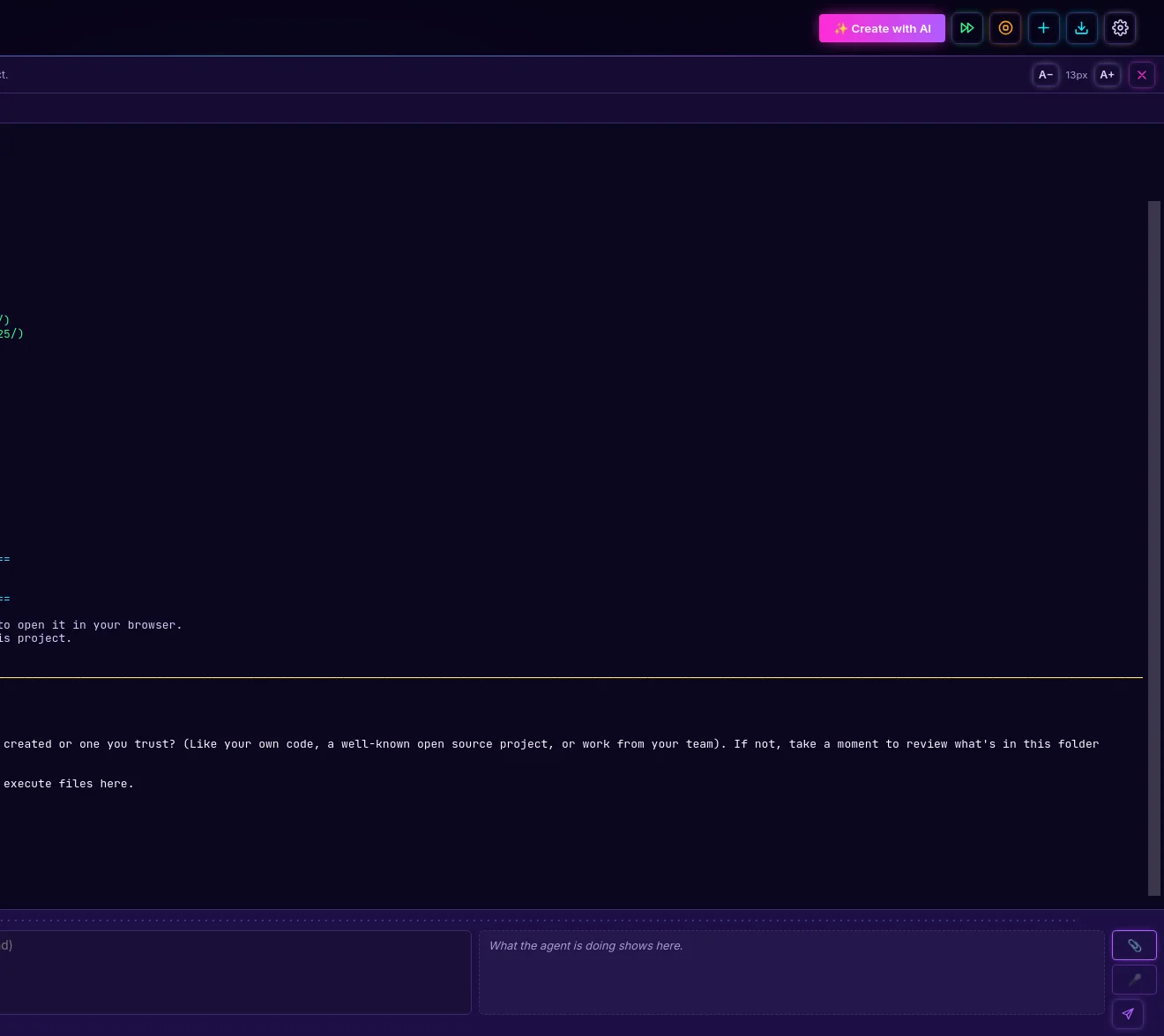
Select the project and open an AI session. It opens on the Terminal tab, where your agent starts, with your app running on the App tab beside it.
The first time your agent opens a project, Claude Code asks whether you trust the folder: choose Yes, I trust this folder and press Enter. Zeltro asks this for cloned projects on purpose, because a repository can bring its own agent settings.
Step 4: keep building without credits#
This is the part that changes the economics. In Lovable, every change is spent from a credit balance. In Zeltro, the agent doing the work is yours: Claude Code, Codex, Antigravity, Qwen Code, Aider, OpenCode or Hermes, on a subscription you already pay for, an API key billed at the provider's own price, or a free local model.
Type what you want in Message the agent and send it. While it works, a Working… sign shows beside the box. When it finishes, the App tab reloads with the change, and the panel beside the box says in plain English what it did. It can take a screenshot of the app to check its own work, and Chat about element lets you click any part of the page to point at what you mean.
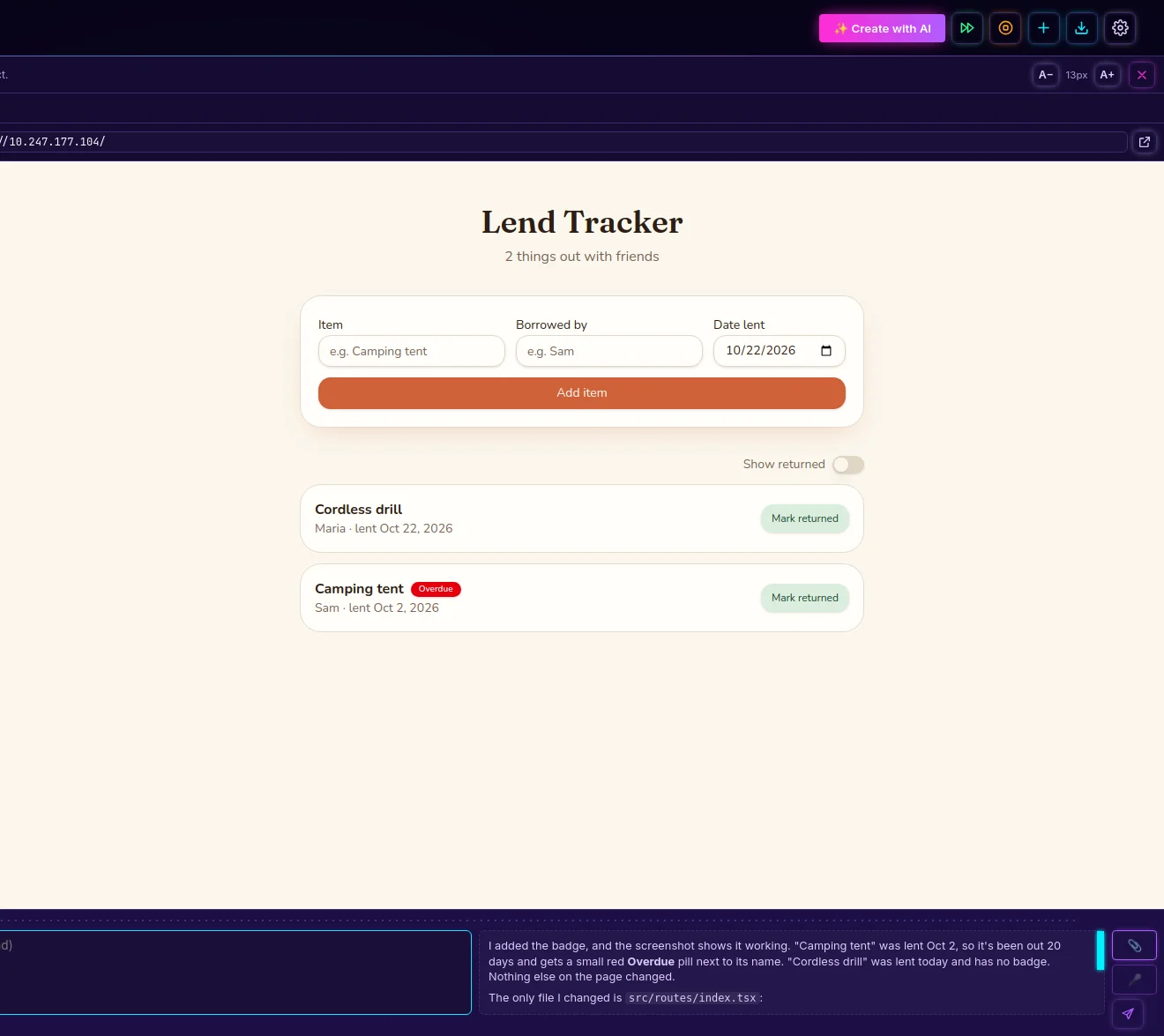
Every project has an AGENTS.md with its address, database and commands, so the
agent starts oriented instead of rediscovering the setup each time. There are no
Zeltro tokens and no markup. See bring your own key for how
that works, or put your own numbers into the
savings calculator.
Work you commit and push to the synced branch appears in your Lovable project. That is handy if you still use Lovable, and a surprise if you don't expect it. Keep experiments on a branch, or tell your agent not to commit.
Your data stays on Lovable Cloud#
Out of the box, the cloned app still talks to its Lovable Cloud backend, using the keys Lovable put in the repository. In our test, items added in the app on the computer showed up in Lovable's own Database view. Lovable's docs say it plainly: "A local app that keeps that configuration reads and writes the same backend as your published app." Use test data until you have decided.
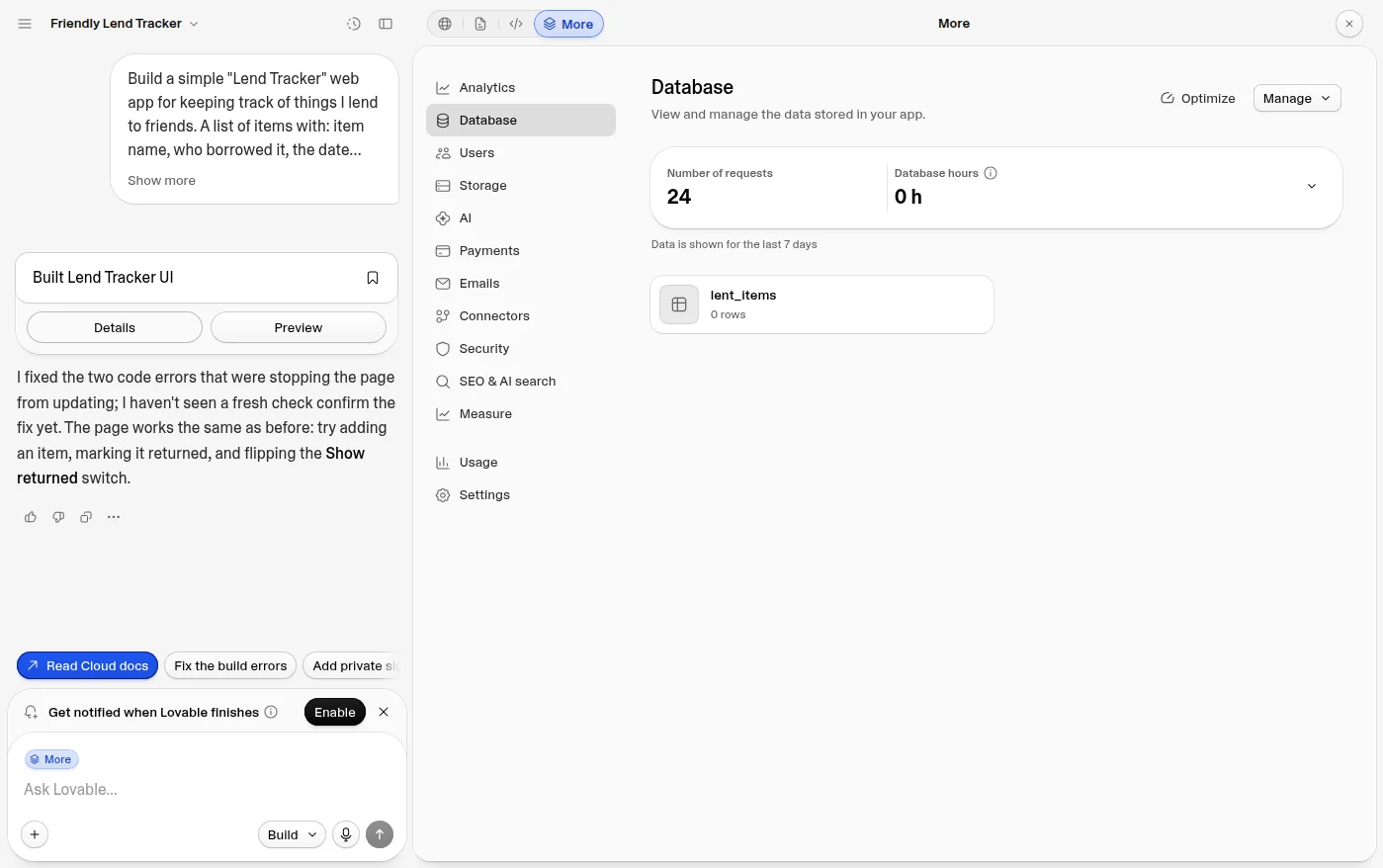
You have three honest options:
Keep Lovable Cloud for now
Build locally and let the data stay where it is. Nothing to migrate, and it is what the steps above give you.
Move to your own Supabase
Lovable lists managed Supabase and self-hosted Supabase as the supported destinations for its backend. Export the schema and data, download the storage files, set the secrets and sign-in redirect URLs again, and redeploy the Edge Functions.
Move it into Zeltro
Zeltro already runs Postgres for every project. For a small app like our test one, the move was one message to the AI and about five minutes: steps 5 and 6. Apps that use Lovable's sign-in, file storage or Edge Functions take more, because those need replacing too.
Newer Lovable projects add one more catch: "connector and AI calls fail locally", because the credentials behind them are managed by Lovable. Those features need replacing with your own keys or services before the app is fully yours.
Step 5: move your data into Zeltro#
This step is optional, and it is the one that makes the app fully yours: the data moves from Lovable Cloud into a Postgres database that Zeltro runs on your computer, and the app stops talking to Lovable at all.
Installed Zeltro before 24 October 2026? Restart the Zeltro app first, which updates it
(or run zeltro update in a terminal), then stop and start the project. Older versions
keep an app image that blocks the server functions this step adds.
Paste this into Message the agent, as one message:
Move this app off Lovable Cloud (Supabase) onto Zeltro's own Postgres. Keep every feature and all the data.
1. Create a database for this project on Zeltro's shared Postgres (AGENTS.md says how to reach it) and create the tables from the migration files in drizzle/migrations, leaving out the Supabase-only parts: the anon, authenticated and service_role grants, row level security and its policies.
2. Copy every row from Lovable Cloud into it. Read them through the Supabase REST API using SUPABASE_URL and the publishable key in .env, and keep the same ids and dates.
3. Replace @supabase/supabase-js in the app with TanStack Start server functions that query Postgres with the pg package. Put the connection string in .env as DATABASE_URL. The browser must never talk to the database directly.
4. Remove the Supabase integration: src/integrations/supabase, its middleware in src/start.ts, the supabase folder, the SUPABASE_* and VITE_SUPABASE_* lines in .env, and the package.
5. Stop tracking .env in git: add it to .gitignore, run git rm --cached .env, and add an .env.example without real values.
6. Check it works in the running app: the list shows the copied items, and adding an item and marking one returned both save to Postgres. Nothing should call supabase.co any more.
Don't commit; I'll review the changes first.
In our test, Claude Code took about five minutes. It created the database and the table, copied every row with the same ids and dates and checked them field by field, and moved the three places the app read and wrote data onto the server. The page looks exactly the same, the browser no longer holds any database code, and nothing calls Lovable Cloud any more. Lovable Cloud still has the original rows: nothing there is deleted.
The prompt names the parts a typical Lovable app has. If yours also uses Lovable's sign-in, file storage or Edge Functions, say so in the message: the agent can replace them as well, but expect more than one round.
Step 6: cut the sync with Lovable#
Until now, anything you push to the synced branch lands back in your Lovable project. To make the move final, commit the change and send it to a repository of your own instead, keeping Lovable's as a second remote:
git remote rename origin lovable
git remote add origin https://github.com/you/your-app.git
git push -u origin main
Lovable never sees this commit. If you want Lovable to stop syncing altogether, open Settings → Git in Lovable and disconnect: it "stops the sync and changes nothing else".
Lovable commits .env, with your Lovable Cloud address and publishable key, into
the repository, so the key is still in its history. In our test app the tables
were open to anyone holding that key. Make your new repository private, and
once your data lives in Zeltro, delete the old rows in Lovable Cloud or remove
the project there.
Self-hosted means you host it#
Zeltro is where the app lives while you build it. It does not put it on the internet. New Lovable apps render on the server (TanStack Start), so they need a host that runs JavaScript on the server, such as a Node server or an edge platform, rather than a plain static host. The backend goes wherever you moved it. If you would rather not deal with servers at all, I will take it live for you.
Sources#
Tested on 22 October 2026 with a new Lovable project on the free plan, moved into Zeltro and changed by an AI agent there. Lovable's Git sync and deployment, hosting and ownership pages were checked the same week. Plans and features change, so check them against your own account.
Questions
Can you self-host a Lovable app?
Yes. Lovable's docs say you can self-host part or all of the stack. The app itself is a standard React project you can run and host anywhere that runs JavaScript on the server. The backend, if you use Lovable Cloud, can keep running there, or move to your own Supabase (managed or self-hosted) or another database.
How do I export Lovable code to GitHub?
Open the project's settings, go to Settings → Git, choose GitHub, and let Lovable install its GitHub App on your account or organization. Lovable creates a new repository and keeps it in two-way sync. This works on every plan, free included.
Can I download my Lovable project without GitHub?
On paid plans, yes: Download codebase in Settings → Git. On the free plan, use GitHub sync.
Does my Lovable app still work after I move it?
Yes. The clone keeps the Lovable Cloud keys that came in the repository, and the app talks to Lovable Cloud from the browser, so the copy on your computer reads and writes the same data as the one in Lovable.
Will changes I make on my computer show up in Lovable?
Only if you commit and push them to the synced branch. Then they do, because sync is two-way. Work on a branch, or ask your agent not to commit, until you want them there.
Does exporting a Lovable project include the database?
The schema, yes: the migration files are in the repository. The data, sign-in users, storage files and secrets are not. They stay on Lovable Cloud until you move them. Step 5 moves the data into Zeltro's Postgres.
Can I leave Lovable Cloud completely?
Yes. Step 5 copies the data into a Postgres database Zeltro runs for you and rewrites the app to use it, and step 6 cuts the sync with Lovable. For a small app it is one message to your AI and a few minutes; sign-in, storage and Edge Functions add work.
Is there a self-hosted Lovable alternative?
Lovable's builder itself only runs in its cloud; its agent needs an internet connection. Zeltro is the self-hosted alternative for the building part: it runs on your computer, with your choice of AI, and your app and its databases stay local. It builds PHP and Python apps as well as JavaScript ones. See the full Lovable comparison.
What does Zeltro cost?
The Zeltro app is free for personal use, hobby projects and learning, with no account.
A business using it, including for paid client work, buys a
lifetime commercial license once, for US$99.99. The zeltro command line
tool is open source (MIT). Separately, you pay for your AI: a subscription you
already have, an API key billed per use, or nothing with a local model.
Bring your Lovable app home
Install Zeltro, clone your Lovable repository, and keep building with the AI you already pay for, or a free local model. Free for personal use, with no account.
Install Zeltro Why bring your own key
Rather not set it up yourself? I’ll do it for you.
Checked 2026-10-23. Other products change often — if something here is out of date, tell us and it gets fixed.