
Zeltro › Run your Emergent app on your own machine
Getting an Emergent app running locally
Emergent exports a real codebase — React or Next, FastAPI or Node, and MongoDB. Standing that up locally is more work than a plain React zip. Here is what the export contains and how to get it running.
Emergent is one of the more open members of the prompt-to-app category: it produces a real application you can download, and on the Standard plan and up the repository lives in your own GitHub account rather than theirs.
The catch is that a real application is more than a front end. An Emergent
project is typically React or Next.js on the front, FastAPI or Node on
the back, and MongoDB underneath — with Expo for mobile. Unzipping that and
running npm install gets you a third of the way.
This page is about the other two thirds.
What you are dealing with#
Front end
- TypicallyReact, Next.js, or Expo
- Needs locallyNode
Back end
- TypicallyFastAPI (Python) or Node
- Needs locallyPython 3 with the right packages, or Node
Database
- TypicallyMongoDB
- Needs locallyA running Mongo instance and a connection string
A single-language export — a Bolt or Lovable zip — really does run with npm install && npm run dev. A polyglot one with a database does not, and that is
the gap people hit.
The manual route#
Worth knowing, because for a one-off it is fine and you should not install anything you do not need:
Install Node and Python 3
At the versions the project expects.
Run MongoDB
Install and run it, or sign up for a hosted Atlas instance.
Set up Python
Create a virtualenv,
pip install -r requirements.txt.Write a
.envWork out which environment variables the backend wants.
Run both halves
Run the API and the front end in separate terminals, pointed at each other.
None of it is hard. It is just five things that each have their own way of going wrong, and you repeat the whole sequence for the next project.
The Zeltro route#
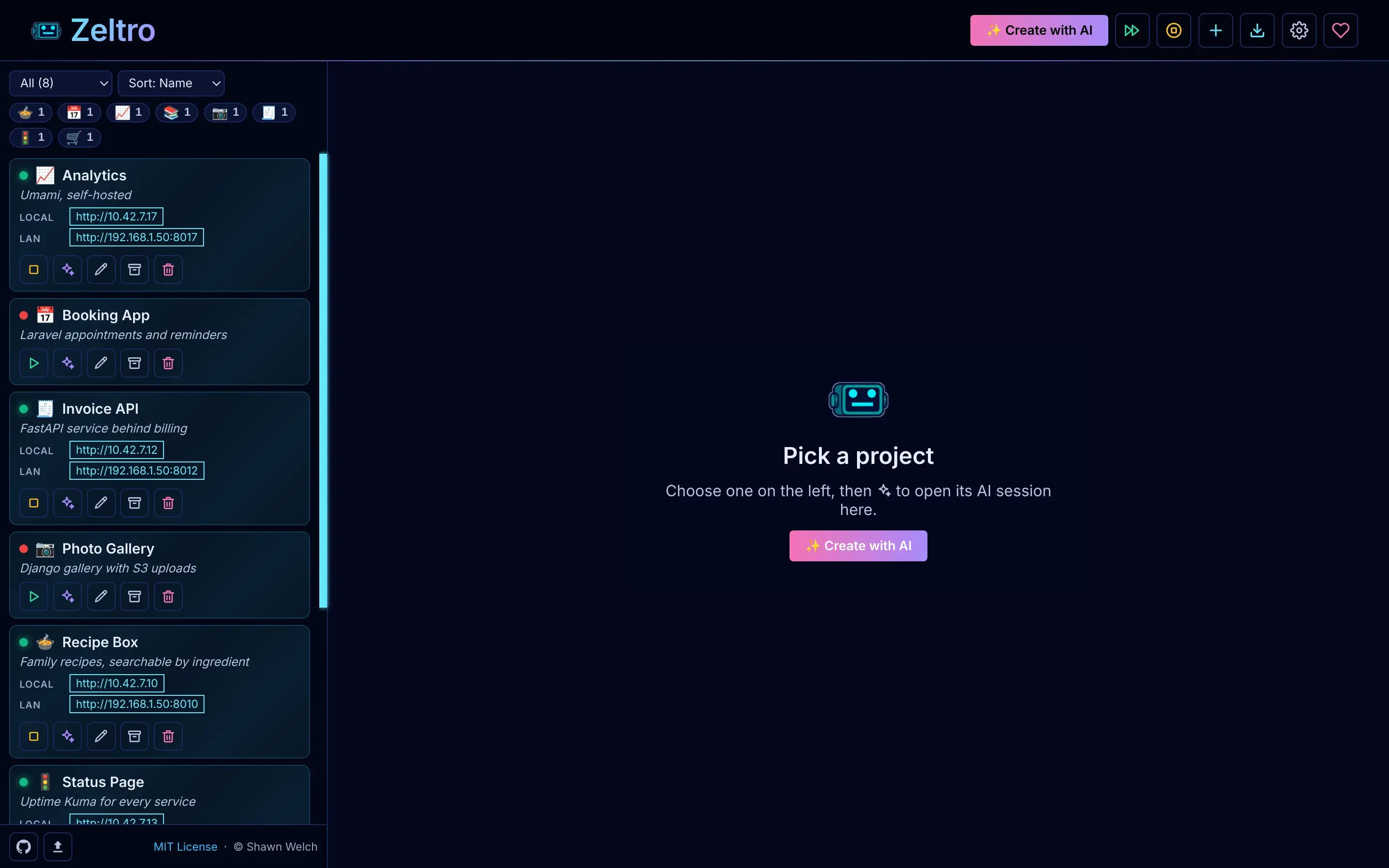
Zeltro is a local development environment that already has those pieces standing. Python 3 and Node 22 are base images with the drivers compiled in, and MongoDB is one of the shared services every project can use.
zeltro clone work-directly https://github.com/you/your-emergent-app
That pulls the repo, detects the stack, creates the project, connects it to the
shared MongoDB, writes the credentials into .env, and assigns it an address.
zeltro status prints it — a local one for this machine and a LAN one for everything
else.
If you downloaded a zip instead of using the GitHub integration, point Zeltro at the unpacked directory:
zeltro setup your-emergent-app
The shared MongoDB is the part that saves the most time here, and it keeps saving it. The second and third app you bring over use the same instance — you are not installing another database or picking another port.
Once it runs#
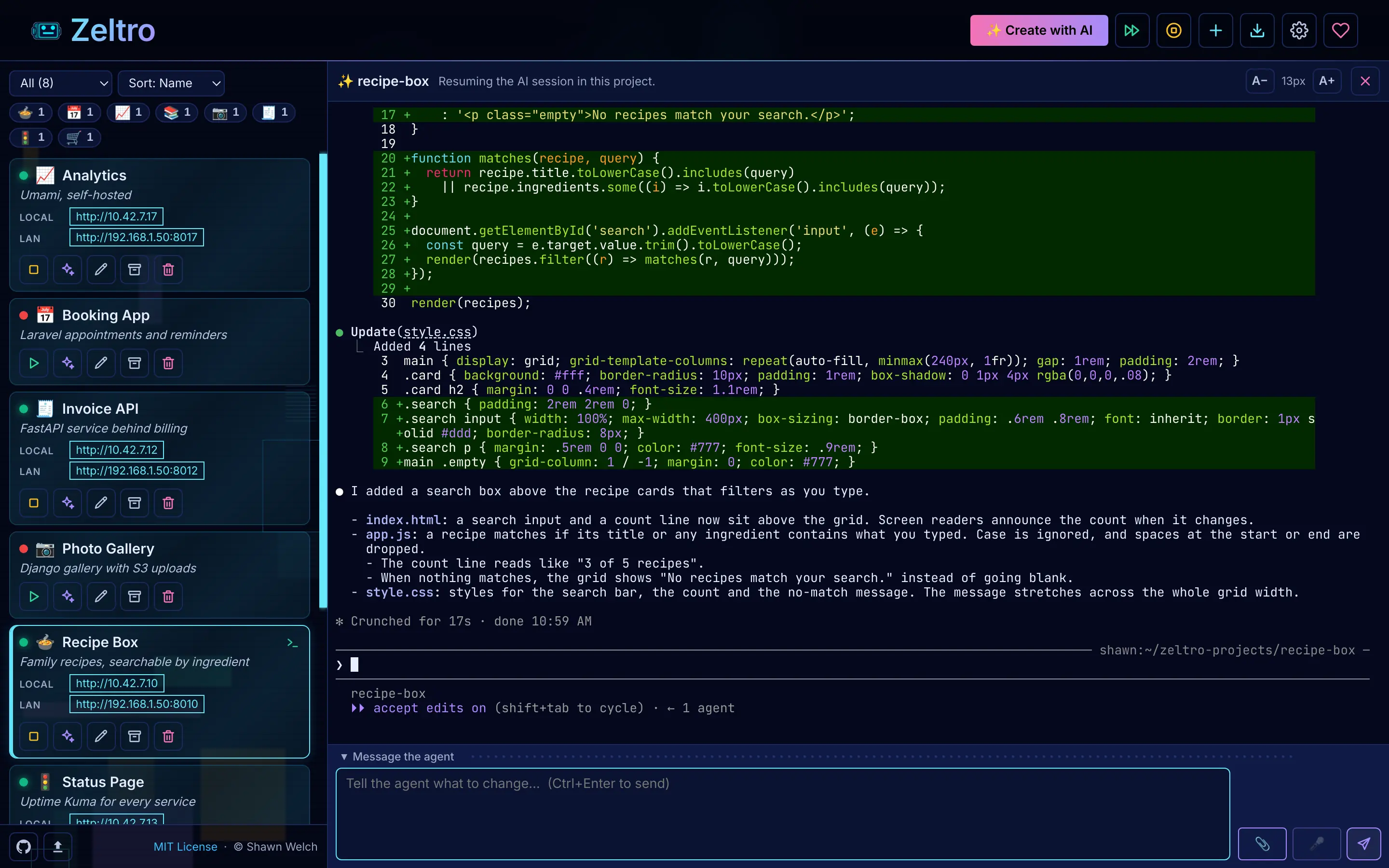
You now have an ordinary project on your disk, so an agent can keep working on
it. zeltro ai starts a session in the project directory with whichever agent
you have configured — Claude, Codex, Antigravity, Qwen, Aider, OpenCode or Hermes — and Zeltro writes an
AGENTS.md describing the project's URL, database and commands so the session
starts oriented.
That is the actual reason to bring an app home: you stop paying per prompt to a platform and start using a subscription or a local model you control.
Worth knowing#
A front-end-only Emergent app runs with npm install && npm run devZeltro still gives it a permanent address, a shared database waiting for when you add one, and your AI agent working right beside it.
Zeltro does not hostEmergent can deploy for you; once the app is on your own machine, putting it online is up to you. Any host works, or I will do it for you.
The export is Emergent's to defineWhat lands in your repository depends on their plans, and it can change. That is the best reason to get your app onto your own machine while you can: once it runs in Zeltro, it is yours.
Questions
Does Emergent let me export my code?
Yes — Emergent produces a real codebase you can download, and on the Standard plan and above the repository lives in your own GitHub account. Verify the specifics against your plan, since plan terms change.
What database does an Emergent app use?
MongoDB, typically, with FastAPI or Node as the backend. That is why the local setup is more involved than for the JavaScript-only builders — you need a Mongo instance as well as a runtime.
Can I keep using AI on it after moving it local?
Yes, and with whichever model you choose. zeltro ai starts an agent session in
the project. Because you supply the agent, an existing Claude or ChatGPT
subscription can do the work, or a cheaper OpenRouter model, or Ollama locally.
Is this different from exporting a Lovable or Bolt project?
Yes, mainly because of the database and the second language. Lovable and Bolt
exports are usually standard Vite/React and genuinely do run with npm install && npm run dev. An Emergent export brings a Python backend and MongoDB with it.
Do I need Docker?
Yes. Zeltro is Docker-based — Linux and macOS natively, Windows through WSL2. If you would rather not, the manual route above works fine, it is just more steps.
Try Zeltro on your own computer
Free for personal use, with no account. Build with the AI you already pay for, and keep the app, its data and its code on your own machine.
Install Zeltro Why bring your own key
Rather not set it up yourself? I’ll do it for you.
Checked 2026-08-22. Other products change often — if something here is out of date, tell us and it gets fixed.